
What Is an AI Search Platform, and How Do You Compare the Best Options?

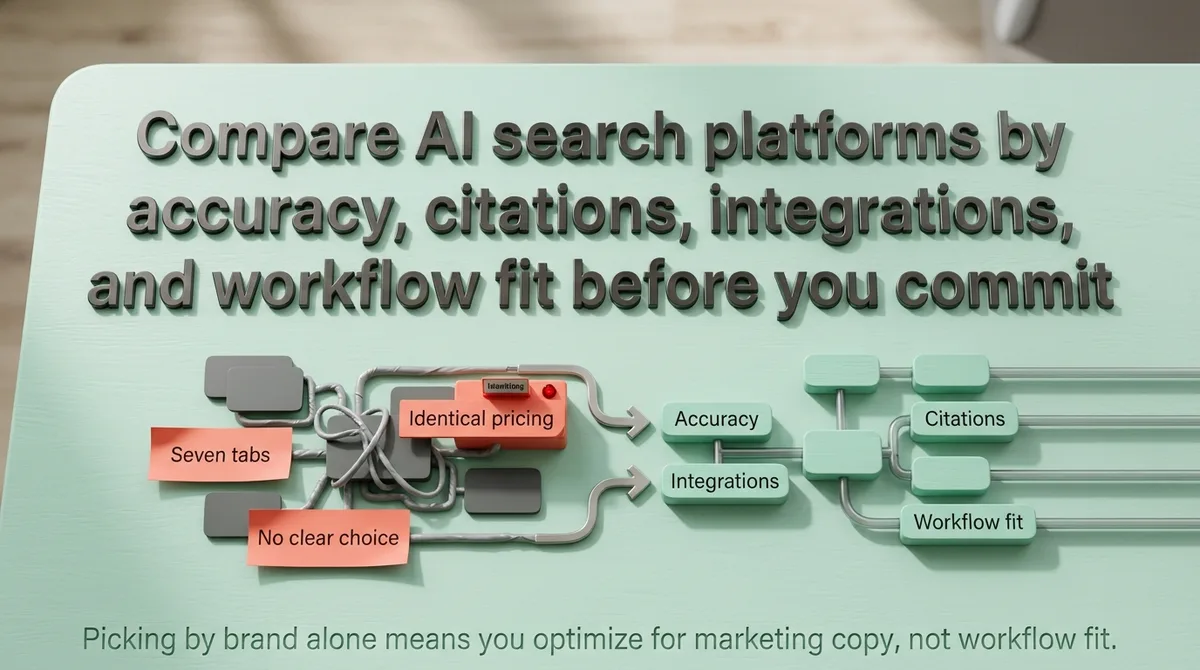
Enterprise Architectural Framework
Selecting an AI search platform differs completely from purchasing traditional search software or choosing an SEO rank tracker. Standard search engines index keywords into inverted lexical tables and return ranked lists of ten blue links. AI search platforms operate autonomous multi-hop retrieval pipelines that deconstruct user queries, execute parallel sub-searches, and synthesize verified answers with inline footnote citations.
Most enterprise evaluation teams fail by comparing vendor marketing checklists without testing retrieval latency budgets, hallucination rates, and citation grounding under production workloads. A platform charging twenty dollars per user that hallucinates unverified claims costs exponentially more in brand risk than a dedicated enterprise retrieval engine.
This technical guide establishes an objective evaluation framework for enterprise buyers, marketing directors, and search engineers. We break down the core retrieval architectures across Perplexity Enterprise, ChatGPT Search, Gemini Advanced, Claude, Glean, and SearchUnify. Every technical trade-off is anchored in empirical benchmarks, compliance standards, and real-world deployment telemetry.
How AI Search Engines Operate vs. Traditional Web Indexers
Traditional search engines rely on lexical inverted indexes built by periodic web spiders. When a user submits a query to Google or Bing, the index matches keyword tokens against document terms using algorithms like BM25. The result is a list of candidate documents sorted by PageRank and historical click-through signals.
AI search engines function as generative answer systems powered by Retrieval-Augmented Generation (RAG). Instead of returning documents for human inspection, the system treats web content as raw contextual knowledge to synthesize a direct response. This structural difference alters how data must be stored, retrieved, and verified at runtime.
Query Decomposition and Sub-Query Fan-Out Mechanics
Modern user inquiries in generative engines are rarely simple keywords. Users submit complex, multi-layered research prompts containing multiple implicit constraints. When an AI search engine receives a prompt, it does not execute a single search query.
The platform executes a query decomposition pass. An internal routing model splits the user prompt into three to five distinct sub-queries. For example, a prompt asking to compare two software platforms across pricing, compliance, and API limits generates three parallel search calls executed simultaneously across different index shards.
This query fan-out process multiplies the number of candidate documents evaluated per session. Sites structured with modular, single-topic sections are significantly more likely to match individual fan-out queries than pages that bury technical specifications inside long narrative essays.
Neural Embedding Spaces vs. Lexical Inverted Indexes
Lexical search engines index exact text strings, stems, and synonyms. If your page uses the phrase “content chunking” but the user searches for “semantic text segmentation,” a lexical engine relies on synonym dictionaries to bridge the semantic gap.
AI search engines convert text documents into dense numerical vectors within high-dimensional embedding spaces. Words and concepts with similar semantic meanings map to adjacent coordinates in vector space, regardless of whether they share lexical vocabulary.
State-of-the-art platforms combine dense vector search with sparse lexical indexing using Reciprocal Rank Fusion (RRF). This hybrid retrieval approach ensures the engine retrieves conceptually relevant passages while maintaining exact accuracy for specific technical acronyms, part numbers, and code syntax.
Runtime Retrieval-Augmented Generation (RAG) Latency Budgets (800ms to 2.5s)
Real-time search puts intense constraints on model inference speed. When a user submits an interactive search query, the complete system must return the first synthesized token within two to three seconds to prevent user drop-off.
Web servers that fail to return fully hydrated HTML within 800 milliseconds are systematically dropped by runtime AI search crawlers. Client-side rendering frameworks that delay DOM delivery cause retrieval timeouts, preventing the platform from reading the page into its active context window.
The 6 Leading AI Search Platforms: Architectural Breakdown and Capabilities
Enterprise buyers frequently treat AI search engines as interchangeable chat interfaces. In production, each platform is optimized for distinct operational workflows, index freshness targets, and data governance boundaries.
Below is an architectural breakdown of the six primary platforms dominating enterprise research and workplace search in 2026.
1. Perplexity Enterprise Pro
Real-Time Web Intelligence
Perplexity built its platform specifically for conversational web research. Unlike conversational models that bolt on web search as a secondary tool, Perplexity uses an index-first architecture designed for rapid query decomposition.
The platform excels at indexing freshness. Real-time news, financial releases, and updated technical documentation are ingested into Perplexity’s retrieval pipeline with minimal lag. The engine executes multiple search queries per user prompt, aggregates excerpts across four to ten distinct domains, and attributes each claim with granular footnote citations.
Perplexity Enterprise Pro introduces workspace collaboration, single sign-on (SSO), SOC2 Type II certification, and a strict zero-retention guarantee. User search queries are never utilized to fine-tune foundational language models.
Attribution: Footnote links with domain pills
Enterprise Tier: $40 / user / month
2. ChatGPT Search (OpenAI)
Conversational Memory & Index Fusion
OpenAI transformed ChatGPT from a standalone language model into a primary web search destination by integrating its proprietary SearchGPT indexing pipeline. The system combines real-time Bing index feeds with direct web scraping via OAI-SearchBot and ChatGPT-User.
ChatGPT Search differentiates itself through conversational context retention. Users can refine search results through follow-up prompts without restating the original query constraints. The model tracks previous retrieval candidates in working memory and adjusts subsequent queries dynamically.
For marketing teams, ChatGPT Search is critical because OpenAI models prioritize high-authority domain clusters and authoritative digital PR references when resolving brand recommendation queries.
Attribution: Interactive source drawer
Pricing Tier: $20 to $30 / user / month
3. Google Gemini Advanced with Grounding
Knowledge Graph Grounding
Google Gemini Advanced leverages the company’s multi-decade advantage in web indexing and entity mapping. Gemini connects generative model outputs directly to Google’s Knowledge Graph through dynamic grounding checks.
When Gemini processes an informational or commercial query, it validates model assertions against established Knowledge Graph entity nodes. If a factual statement lacks high-confidence entity corroboration, the system re-queries its live search index or suppresses the speculative sentence.
Gemini offers deep workspace integration with Google Workspace, allowing enterprise users to search simultaneously across public web indexes and private Google Drive repositories within a unified permission boundary.
Attribution: Grounding highlights with source cards
Compliance: ISO 27001, SOC2, FedRAMP High
4. Anthropic Claude Enterprise with Artifacts
Long-Context & Analytical Extraction
Anthropic designed Claude with an explicit focus on long-context comprehension, steerability, and factual reliability. While Claude relies on third-party search APIs for real-time web retrieval, its synthesis pipeline is unmatched for complex document analysis.
Claude’s Artifacts feature renders structured data, code blocks, and visual tables in dedicated side-by-side workspace panels. This makes Claude the preferred platform for software engineers and data analysts who need to deconstruct dense technical documentation, API specifications, and comparative code libraries.
Anthropic’s constitutional training framework enforces conservative claim generation. Claude exhibits lower hallucination rates on multi-page technical extraction tasks compared to raw search-optimized models.
Attribution: Exact document quotes and markdown tables
Best Fit: Engineering & regulatory analysis
5. Glean Workplace Search
Internal Enterprise Knowledge Graph
Public web search engines cannot solve the internal enterprise knowledge problem. Organizations maintain proprietary documentation across Slack channels, Jira tickets, Notion pages, Salesforce records, and private GitHub repositories.
Glean has established itself as the enterprise standard for workplace AI search. The platform deploys over one hundred native enterprise connectors, indexes corporate permissions in real time, and enforces identity-aware access controls. An employee searching for quarterly financial projections only sees documents their role is authorized to view in the source application.
Security: Document-level ACL federation
Licensing: Annual enterprise seat volume
6. SearchUnify
Support Operations & CRM Knowledge
SearchUnify focuses heavily on enterprise customer support and contact center knowledge retrieval. It integrates with enterprise CRM systems to feed unified answer snippets to support agents, reducing ticket resolution times by synthesizing knowledge from disjointed help desk archives.
By connecting directly to Zendesk, Salesforce Service Cloud, and enterprise community platforms, SearchUnify surfaces verified troubleshooting protocols and historical ticket resolutions directly inside agent workflows.
Integration: Salesforce, ServiceNow, Zendesk
Compliance: SOC2 Type II, HIPAA
Comprehensive AI Search Platform Comparison Matrix (2026 Telemetry)
The table below summarizes the technical specifications, latency characteristics, and compliance standards across all six platforms.
| Platform | Primary Retrieval Architecture | Index Freshness | Attribution Model | Enterprise Compliance | Pricing Model | Primary Fit |
|---|---|---|---|---|---|---|
| Perplexity Enterprise Pro | Real-time multi-hop RAG with hybrid lexical/vector search | Under 15 minutes for breaking news and updates | Direct numbered footnotes with source domain badges | SOC2 Type II, HIPAA, Zero Retention | $40 / user / mo | Market research, competitive intelligence, executive search |
| ChatGPT Search (OpenAI) | SearchGPT crawler integration with conversational memory | Under 1 hour for high-authority publishers | Inline link pills with interactive source drawer | SOC2 Type II, Enterprise DPA | $20 to $30 / user / mo | General business research, copywriting, creative workflows |
| Google Gemini Advanced | Knowledge Graph grounding with Google Core Index integration | Near real-time via Google search index pipeline | Grounding highlight links with source cards | ISO 27001, SOC2, FedRAMP High | $20 / user / mo | Organizations standardized on Google Workspace ecosystem |
| Anthropic Claude Enterprise | Long-context RAG synthesis with Artifacts workspace | API-dependent retrieval cadence | Explicit markdown source citations and quotes | SOC2 Type II, HIPAA, Zero Retention | Custom seat quote | Technical documentation, software engineering, policy review |
| Glean Workplace Search | Enterprise graph with 100+ native SaaS connectors | Continuous real-time webhook updates | Exact document link with source application icon | SOC2 Type II, ISO 27001, GDPR | Annual seat volume | Internal cross-departmental workplace knowledge retrieval |
| SearchUnify | Cognitive search engine with CRM support integration | Scheduled batch and event-driven updates | Knowledge base article links and intent confidence scores | SOC2 Type II, HIPAA | Tiered enterprise license | Customer support operations and help desk automation |
Runtime Latency and Retrieval Performance Benchmarks
Latency is the primary operational trade-off in AI search. As query complexity increases, the retrieval pipeline must execute additional reasoning steps, expanding the time required to deliver verified answers.
| Query Complexity Type | Traditional Search | AI Fan-Out Search | Context Load | Re-Ranking Overhead | Time to First Token |
|---|---|---|---|---|---|
| Direct Factual Lookup (Stock price, release date) | 120ms to 250ms | 650ms to 950ms | 2k to 4k tokens | 50ms to 100ms | ~850ms |
| Comparative Analysis (Feature matrices, pricing tiers) | 200ms to 400ms | 1,400ms to 2,100ms | 8k to 16k tokens | 180ms to 320ms | ~1,800ms |
| Multi-Source Synthesis (Industry benchmark audits) | 350ms to 600ms | 2,200ms to 3,400ms | 24k to 64k tokens | 350ms to 550ms | ~2,800ms |
| Deep Document Audit (Internal contract reviews) | Not supported | 3,500ms to 7,000ms | 100k+ tokens | 600ms to 1,200ms | ~4,500ms |
For empirical latency distributions and bot fetch telemetry across 13,971 search sessions, consult our 2026 AI Search Benchmark Study.
Grounding Algorithms, Cross-Encoders, and Natural Language Inference (NLI)
The core technological advancement separating modern AI search platforms from early conversational models is the verification pipeline. Understanding how models verify truth claims allows buyers to test candidate platforms effectively.
Bi-Encoders vs. Cross-Encoders in Candidate Selection
When an engine retrieves documents from a vector index, it uses a bi-encoder model to score document embeddings against the query vector. Bi-encoders are fast, executing cosine similarity calculations in tens of milliseconds across millions of vectors.
However, bi-encoders lack nuanced understanding of fine-grained logical relationships. For high-precision queries, top-tier AI search engines pass the top one hundred candidate passages through a cross-encoder re-ranking model.
Cross-encoders evaluate the query and document passage simultaneously, scoring full token-to-token attention across every word. This eliminates irrelevant passages that happen to share superficial keywords, increasing downstream citation accuracy by up to forty percent.
Natural Language Inference (NLI) Grounding Scores
Once candidate passages are re-ranked, the generative model drafts a preliminary response. Before streaming the text to the user, an NLI verification module audits each declarative claim.
The NLI model treats the retrieved passage as a formal premise and the generated sentence as a hypothesis. It assigns probability scores across three logical categories: entailment, neutral, and contradiction.
Enterprise platforms enforce an entailment confidence threshold of at least 0.85. If a generated claim scores below 0.85 or exhibits contradiction risk against the retrieved document text, the pipeline suppresses the sentence or prompts the model to execute a targeted re-retrieval loop.
Enterprise Security, Privacy, and Data Governance Architecture
Deploying AI search within regulated corporate environments requires strict verification of security controls, data isolation boundaries, and audit logging capabilities.
| Governance Dimension | Consumer Standard | Enterprise Standard | Operational Failure Risk |
|---|---|---|---|
| Model Training Policy | User queries stored and reused for training | Zero Data Retention with legal SLA | Proprietary code or roadmap leaks |
| Access Control | Shared accounts or single login | SAML 2.0 / OIDC with SCIM sync | Ex-employees retaining repository access |
| Data Encryption | Vendor-managed keys at rest | TLS 1.3 + AES-256 with Customer-Managed Keys (CMK) | Vendor breach exposing internal document pools |
| Data Residency | Dynamic global compute routing | Strict regional pinning (US, EU, APAC) | Fines under GDPR or sovereignty laws |
| Audit Logging | Basic timestamp history | Real-time SIEM export to Splunk or Datadog | Inability to trace insider data leaks |
Enterprise Evaluation Framework: The 8-Point Rubric Most Buyers Overlook
When procurement teams evaluate search software, they routinely focus on brand prestige and licensing costs. They ignore the technical failure modes that generate downstream operational waste.
To avoid costly procurement errors, evaluate prospective vendors against the following eight operational criteria.
Retrieval Precision and Citation Verification Accuracy
An AI search engine that synthesizes plausible statements without verifying source claims creates liability. Test each platform by submitting twenty technical queries with subtle false premises.
Evaluate whether the system corrects the premise or hallucinates corroborating evidence. The platform must provide transparent footnote links leading directly to the specific passage supporting each generated claim.
Data Freshness and Index Re-Crawl Cadence
Examine how quickly newly published information enters the platform’s searchable index. If an engineering team publishes a patch note at 9:00 AM, can the search platform retrieve that detail by 10:00 AM?
Platforms that rely exclusively on static web dumps fail rapidly for time-sensitive commercial decisions. Require vendors to specify their re-crawl schedules for both public URLs and internal document repositories.
Security, Data Privacy, and Enterprise Governance (SOC2, HIPAA, Zero-Retention)
Corporate confidentiality is non-negotiable. Feeding proprietary source code or confidential financial telemetry into consumer search tiers risks leaking trade secrets into public model training datasets.
Ensure the vendor provides a legally binding Zero Data Retention agreement. Verify that employee queries and uploaded documents are purged from model cache immediately after response generation.
Total Cost of Ownership (Token Consumption vs. Flat-Rate Licensing)
Pricing structures fall into two distinct models: predictable per-user monthly seats and variable usage-based token consumption fees.
Flat-rate licenses protect organizations from billing surprises during heavy research quarters. Usage-based API tiers can escalate rapidly when large teams run continuous multi-hop synthesis queries across massive context windows.
Permission-Aware Access Control (Identity Federation)
For internal search tools like Glean, access control must operate at document-level precision. The search engine must inherit user permission groups directly from Okta, Azure Active Directory, or Google Workspace.
If an intern queries “executive compensation,” the engine must return zero results if the underlying spreadsheet restricts view permissions to senior human resource personnel.
Multi-Hop Query Decomposition Capabilities
Test the platform’s ability to answer compound questions requiring sequential retrieval steps. For instance: “Which vendor matches our SOC2 criteria and charges less than fifty dollars per user?”
A weak platform searches the full string as a single query and returns generic marketing pages. An advanced platform executes one search for SOC2 compliant vendors, a second search for pricing schedules, and intersects the candidate sets programmatically.
Connector Ecosystem and API Extensibility
Audit the platform’s pre-built integration catalog. Building custom webhooks to connect internal document management tools costs thousands in developer overhead.
Verify that the platform supports turnkey connectors for your primary data stores, including Confluence, Google Drive, Notion, Slack, Zendesk, and GitHub.
Export Formats, Telemetry, and Workflow Integration
A research finding trapped in a chat modal creates workflow friction. Evaluate how cleanly the platform exports answers into team deliverables.
Look for native support for markdown exports, spreadsheet generation, integration with workflow automation tools, and browser extensions that surface verified citations directly inside email and document editors.
The 14-Day Enterprise Proof of Concept (PoC) Evaluation Protocol
Avoid committing to annual software contracts without running a structured proof of concept. Use this two-week testing protocol to evaluate competing platforms objectively.
Baseline Accuracy & Grounding Evaluation
Assemble a standardized test battery of fifty enterprise queries divided across three distinct categories: known historical facts, ambiguous comparative evaluations, and negative control queries containing false factual premises.
Assign three evaluators to run the identical query set across candidate platforms simultaneously. Score each output on three variables: source attribution precision (percentage of footnote links that substantiate the sentence), hallucination rate (factual errors per one thousand words), and time to first token.
Log all latency values and evaluate whether the platform maintains sub-two-second response speeds during peak business hours.
Security, Governance & User Adoption
Involve your security and compliance teams during the second week. Verify single sign-on authentication, test automated user de-provisioning via SCIM, and audit whether search queries appear in centralized security logs.
Have five end-users execute their daily research tasks exclusively through the candidate tool. Measure whether user search efficiency improves and whether users report interface fatigue or formatting frustration.
Review the final scoring rubrics with department leaders before finalizing software procurement decisions.
How AI Search Platforms Handle Zero-Click Answers vs. Attribution Links
Traditional search engines display links with short meta description snippets, encouraging users to click through to publisher websites. AI search engines synthesize answers directly inside the interface, satisfying the user’s intent without requiring an external site visit.
This dynamic creates the zero-click search environment. For organizations publishing authoritative content, visibility is no longer measured solely by organic website traffic. Visibility is measured by how frequently generative models extract, cite, and attribute your brand as the primary authority within the generated answer.
AI search engines select citations based on information density, explicit quantitative data, and clean semantic document markup. Pages that wrap simple facts inside thousand-word narrative introductions are routinely bypassed in favor of concise, structured tables and declarative topic sentences.
Once you understand retrieval mechanics, apply our GEO content blueprint for structuring citation-ready pages to format text blocks for zero-click citation.
Real-World Enterprise Migration Scenarios: Matching Platform to Organizational Workflow
Selecting the ideal platform depends on where research friction occurs inside your organization. Below are three typical enterprise deployment scenarios.
Scenario A: High-Velocity Market Research & Venture Capital
External Web Focus
Scenario B: The 500-Person B2B SaaS Company with Disjointed Documentation
Internal Workplace Focus
Scenario C: The Enterprise Engineering Team Managing Technical Documentation
Technical Code Focus
Infrastructure Costs: Self-Hosted Vector Search vs. Managed AI Search APIs
Organizations evaluating whether to build internal AI search infrastructure versus licensing a managed platform face significant architectural trade-offs. Building an in-house retrieval engine requires configuring vector databases, embedding pipelines, and re-ranking microservices.
The table below compares the four primary vector search architectures organizations deploy when building custom internal search pipelines.
| Database / Engine | Primary Index Architecture | Scalability Threshold | In-Memory RAM Footprint | Primary Trade-Off |
|---|---|---|---|---|
| Qdrant | HNSW with scalar and product quantization | Over 1 billion vectors per distributed cluster | Medium (on-disk payload) | Exceptional filtering speed but requires Rust expertise for custom extensions |
| Milvus | Disaggregated storage and compute with Knowhere engine | Tens of billions of vectors across Kubernetes nodes | High (dedicated workers) | High infrastructure operational complexity for small engineering teams |
| Pinecone | Serverless vector index with automated metadata filtering | Elastic scaling without cluster sizing management | Managed cloud tier | Higher ongoing token and query API costs at high sustained request volumes |
| Weaviate | Modular GraphQL vector search with multi-modal support | Hundreds of millions of vectors per cluster | Medium to High | Rapid developer setup but requires memory tuning under heavy concurrent writes |
While platforms like Perplexity and ChatGPT search the live web, marketing teams need software specifically built to produce content those engines can easily retrieve. Platforms like Zelitho automate the end-to-end content workflow by generating grounding-aware articles engineered for vector embedding chunking and natural language inference.
Zelitho integrates directly with WordPress and Webflow, publishing structured pages with verified data tables and schema markup. Teams can evaluate this retrieval performance by creating their first article for 5 dollars before committing to annual software seats.
While platforms like Perplexity and ChatGPT search the live web, marketing teams need software specifically built to produce content those engines can easily retrieve. Platforms like Zelitho automate the end-to-end content workflow by generating grounding-aware articles engineered for vector embedding chunking and natural language inference.
Zelitho integrates directly with WordPress and Webflow, publishing structured pages with verified data tables and schema markup. Teams can evaluate this retrieval performance by creating their first article for 5 dollars before committing to annual software seats.
When to Build Custom Vector Pipelines vs. License Managed Platforms
If your organization possesses dedicated machine learning infrastructure engineers and requires strict on-premises data isolation within air-gapped data centers, building on self-hosted vector databases like Qdrant or Milvus provides complete architectural sovereignty.
However, for enterprise research teams, product marketers, and general business workflows, licensing a managed platform like Perplexity Enterprise, Glean, or ChatGPT Search delivers higher operational return. Managed platforms eliminate ongoing index maintenance, embedding drift monitoring, and custom connector engineering.
Frequently Asked Questions About Evaluating AI Search Platforms
What is the difference between an AI search platform and an enterprise search engine?
An enterprise search engine indexes internal corporate documents using traditional keyword matching and returns a list of files matching search tokens. An AI search platform combines internal and external knowledge retrieval with a generative language model to synthesize verified answers, compare complex options, and extract actionable takeaways across multiple documents simultaneously.
Can AI search platforms replace Google for consumer search?
AI search platforms currently excel at complex research queries, product evaluations, and analytical tasks where users seek synthesized answers. However, traditional search engines still handle navigational searches, local service lookups, and transactional e-commerce queries with lower latency and higher geographic precision.
How do AI search engines prevent hallucinations in commercial evaluations?
Advanced platforms enforce grounding verification pipelines. The system retrieves source documents, extracts direct text snippets, and uses cross-encoder re-ranking models to score factual entailment between the generated sentence and the retrieved source text. If a claim cannot be verified against retrieved text coordinates, it is revised or omitted.
Are employee search queries used to train public AI models?
On consumer and free tiers of AI search platforms, queries and uploads are frequently stored and utilized for model training. On paid enterprise tiers, vendors provide contractual Zero Data Retention guarantees ensuring user inputs and internal documents are completely excluded from foundational model training.
How does an organization optimize its own website to be cited by AI search platforms?
To earn citations in AI search engines, websites must implement Generative Engine Optimization (GEO). This involves structuring content with question-based headings, self-contained declarative paragraphs, machine-readable comparison tables, and schema markup that RAG vector chunkers can easily ingest and score with high confidence.