
How to Add Article Schema Markup to Blog Posts

TL;DR
You queued the blog post. The draft exists. The CMS tab has been open for three days. Schema is the thing everyone agrees matters and nobody has time to do correctly.
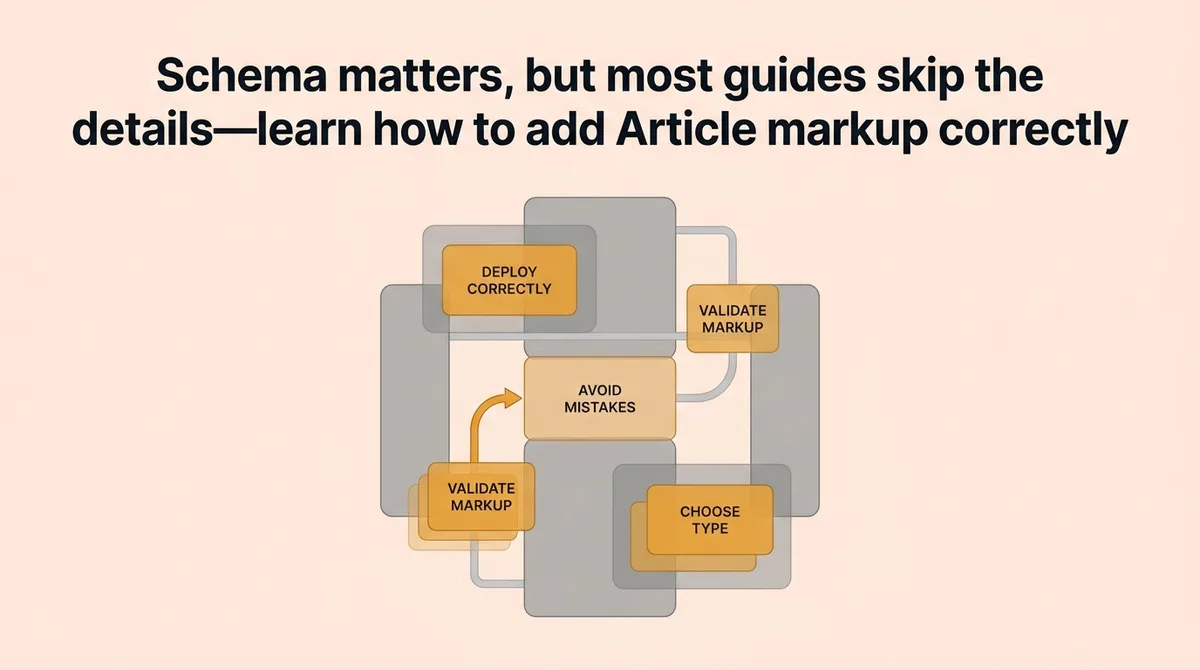
Most guides tell you to “add Article schema” without explaining that Google supports three distinct types for this markup. Picking the wrong one, or skipping required fields, means search engines process your page without the signals you intended to send. The markup exists but does nothing.
This guide helps content leads and agency operators build a correct, validated schema block for every blog post they publish. You will learn which type to choose, which fields are mandatory versus optional, where to place the code, and which deployment mistakes quietly disqualify your posts from rich results. No invented methodology. No framework names. A repeatable process you can hand to a developer or run yourself.
What does article schema markup actually do for a blog post?
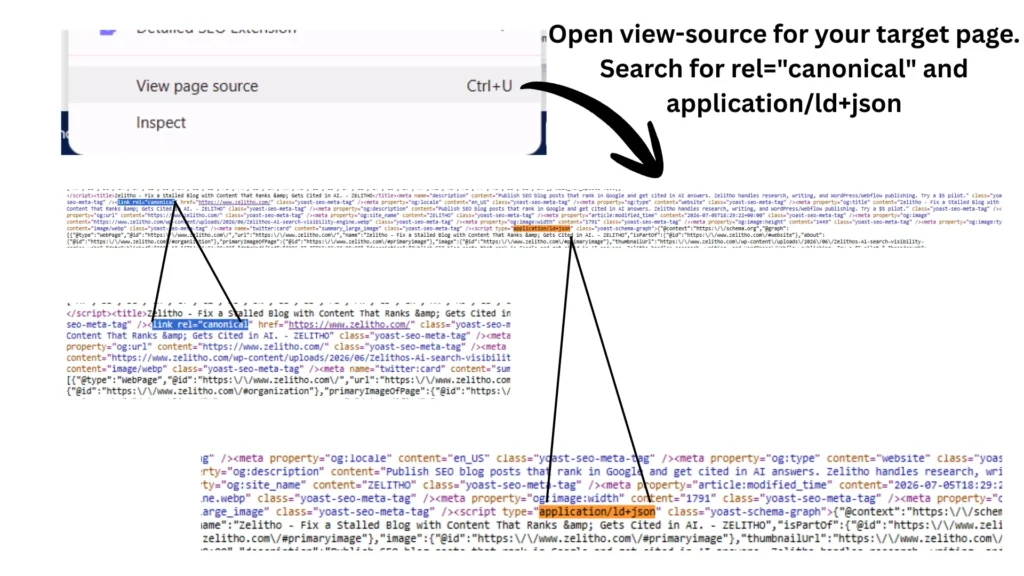
Article schema tells search engines what type of content a page contains and who created it. Google, Bing, and AI platforms use explicit page signals to better understand content context [1]. Without structured data, a crawler reads your HTML and makes its own inferences. With correct markup, you supply the metadata directly: publication date, author identity, headline, and image. That specificity affects rich result eligibility, not guaranteed rankings.
Choose the Right Article Schema Type Before You Write a Single Line of Code
Most publishers default to the generic Article type and move on. That choice is often wrong, and it quietly limits how search engines classify your content.
Google supports three schema.org types for article markup: Article, NewsArticle, and BlogPosting[1]. Each signals a different publishing context. Applying the wrong type does not break your page, but it sends a mismatched signal that search engines may deprioritize when assigning content category context.
Here is how to choose:
Schema Type | Use When | Avoid When |
|---|---|---|
| General editorial content, long-form guides, technical explainers | You publish on a defined blog URL structure |
| Time-sensitive journalism, press coverage, breaking announcements | Content has no clear publication news hook |
| Standard blog posts tied to a specific blog entity | Content is a product page, review, or recipe |
BlogPosting is a subtype of Article. It inherits all Article properties and adds specificity for blog publishing contexts. If your post lives at /blog/your-post-title, use BlogPosting.
NewsArticle applies to content with a genuine news hook. Using it for evergreen how-to posts misrepresents the content type. Articles, reviews, recipes, and local business pages each benefit from distinct schema types [2]. Picking the right one from the start keeps your markup honest and search engine-readable.
Stop applying Article to every post by default. Start matching the schema type to the actual page purpose.
What Every Blog Post Schema Block Actually Needs: Required Fields, Recommended Fields, and What Most Guides Skip
Most schema tutorials show you a code block and call it done. They skip the field-level decisions that determine whether your markup qualifies for rich results or gets silently ignored.
Here is the field breakdown:
Field | Status | What Most Guides Miss |
|---|---|---|
| Required | Must match the page |
| Required for rich results | Aspect ratio and pixel count matter |
| Required | Refers to the first publication date, not an edit date [3] |
| Recommended | Use only when content substantively changed |
| Required | Must include |
| Recommended | Use |
The image field is where most implementations fail. Google recommends three aspect ratios for best results: 16×9, 4×3, and 1×1 [1]. Supply all three using an array. Each image should meet a minimum of 50,000 pixels when width is multiplied by height [1]. A 300×100 thumbnail does not qualify. A 1200×800 image does.
Date handling causes quiet errors. The datePublished field refers strictly to the first publication date [3]. If you update an old post and overwrite datePublished with today’s date, you misrepresent when the content first appeared. Use dateModified for updates. If a post published on 2026-07-01 gets a content refresh on 2026-07-02, your block should carry both dates as separate fields [2].
The author field needs structure, not just a name string. Wrap the author in a Person or Organization object. Include a url pointing to a stable author page or About page. Multiple authors are valid. Provide each as a separate object in an array.
For example, imagine a content team at a 30-person SaaS company. They publish schema with a plain "author": "Jane Smith" string. Google can read the name but cannot resolve the author entity. Switching to a structured Person object with a url gives crawlers a resolvable identity signal, which is the point of the field.
One field most guides omit entirely: @context. Every schema block must open with "@context": "https://schema.org". Without it, the block is not valid JSON-LD. Your validator will catch it, but only if you run one.
Where to Place the Markup and How to Validate It Before It Costs You Search Eligibility
Correct markup in the wrong location, or correct markup on a page that cannot be crawled, produces zero benefit. Placement and validation are not optional steps.
Place your JSON-LD block inside a <script type="application/ld+json"> tag in the <head> of the page. Google can read JSON-LD from the <body>, but placing it in <head> keeps it separate from content and easier to audit. Do not embed schema attributes inline in HTML elements using Microdata unless your CMS explicitly requires it. JSON-LD is the format Google recommends for article markup.
Before any post goes live with structured data, run two validation checks. The Rich Results Test and the URL Inspection tool in Search Console are both explicitly recommended for this [1]. Use them in sequence, not interchangeably.
The Rich Results Test works on a URL or a code snippet. Run it on the snippet first, before publishing. It confirms your block is valid JSON-LD and that required fields are present. Then publish the page and run the URL Inspection tool. That tool checks how Googlebot actually sees the page, including whether the page is indexed, whether the markup parses correctly in the rendered version, and whether any field errors surface in Search Console’s structured data report.
Three checks matter before rollout: confirm the page is accessible to crawlers, confirm it is crawlable by checking robots.txt and meta robots tags, and confirm it is ready for recrawl after any changes [1].
For example, imagine a marketing lead who publishes a post with valid schema, but the staging environment’s noindex tag carried over to production. The Rich Results Test passed on the snippet. The URL Inspection tool would have caught the indexing block. Running both tools in sequence is what prevents that gap.
Deployment Mistakes That Quietly Break Article Schema and How to Avoid Each One
Valid markup can still fail after deployment. The failures are specific and preventable.
Multi-part article canonicalization
If you publish a long post split across multiple pages, you have two canonicalization options: apply schema to each individual page, or apply it to a single view-all page and use a canonical tag pointing to that page [1]. Most guides never address this. Applying schema to each part without proper canonicalization creates competing signals. Google may index the individual parts without understanding they form a single article. Choose one approach and apply it consistently.
Access-controlled content
Subscription-based content and registration-required content both require special handling [1]. If a post sits behind a login wall and Googlebot cannot render it, the structured data on that page does nothing. Two scenarios require attention: content that is partially gated (a preview is public, the rest requires login) and content that is fully gated. For partially gated posts, use the isAccessibleForFree property alongside hasPart to declare which sections are accessible. For fully gated content, structured data may not drive rich result eligibility, but it still contributes to entity signals if the page is crawlable.
Stale datePublished overwriting
Content management systems sometimes auto-update datePublished on save. If your CMS pulls the current date dynamically, every edit rewrites the original publication date. Audit your CMS template logic. The first publication date should be hardcoded or stored as a separate field from the modification date.
Markup cached away from the page
Some CMS setups render schema through a plugin that caches the output. After updating a post title or author, the live page may still serve the old cached schema block. The visible page shows the new data. The schema block shows the old. Clear schema-related caches after any metadata change.
JavaScript-only rendering
If your CMS renders the JSON-LD block through client-side JavaScript and Googlebot does not fully render the page, the markup may not be processed. Test with the URL Inspection tool’s “Test Live URL” option to confirm that Googlebot sees the schema in the rendered HTML, not just in the source.
For example, imagine an agency managing twelve client blogs. They implement schema via a JavaScript snippet injected at the footer. The Rich Results Test passes on the snippet. The URL Inspection tool later shows the structured data missing from three client sites where JavaScript rendering was partially blocked by a cookie consent script. Catching that gap requires running both tools, not just one.
Schema Placed Right Versus Schema That Search Engines Silently Ignore
A correct BlogPosting block contains a resolved headline, structured author objects with resolvable URLs, an image array with all three recommended aspect ratios, a datePublished that matches the actual first publication date, and a dateModified that reflects real content changes. That block lives in the <head> as JSON-LD, on a page Googlebot can access and crawl without restriction.
An incorrect block looks almost identical. It may have the right fields but the wrong schema type, a datePublished the CMS overwrites on every save, or a thumbnail image below the minimum pixel threshold. It passes a quick visual check. It fails validation.
The validation sequence is not a one-time step. Every time a post goes live, run the Rich Results Test on the snippet before publishing. After publishing, run the URL Inspection tool to confirm Googlebot sees the same markup you validated. Build that two-step check into your publishing checklist.
Schema does not rank your content. It gives search engines the metadata context to classify and surface it correctly. Correct schema on a strong post improves the signal. Broken schema on any post wastes the effort entirely.
Place it right the first time, then confirm it with the tools built for that purpose.
FAQ
BlogPosting is a subtype of Article intended for standard blog posts on a defined blog URL structure, NewsArticle applies to time-sensitive journalism or breaking announcements, and the generic Article type suits long-form editorial or technical guides without a clear blog or news context. Using the wrong type does not break your page, but it sends a mismatched signal that search engines may deprioritize when assigning content category context. If your post lives at a path like /blog/your-post-title, BlogPosting is almost always the correct choice.
Google requires headline, image, datePublished, and author for Article schema to be eligible for rich results. The headline must match the page title or primary H1, the image must meet a minimum of 50,000 pixels (width multiplied by height) and ideally be supplied in 16×9, 4×3, and 1×1 aspect ratios as an array, datePublished must reflect the original first publication date and never be overwritten on edits, and author must be a structured Person or Organization object with a resolvable URL rather than a plain name string. Every block also needs the @context field set to https://schema.org or the JSON-LD is technically invalid.
Run Google’s Rich Results Test on your JSON-LD snippet before publishing to confirm the block is valid and all required fields are present, then run the URL Inspection tool in Search Console after publishing to confirm Googlebot sees the same markup in the rendered page. These two tools catch different failure modes: the Rich Results Test works on a raw snippet, while URL Inspection reveals issues like noindex tags carried over from staging or JavaScript rendering that blocks the schema from appearing in the crawled version. For teams using Zelitho to publish directly to WordPress or Webflow, auditing the live URL with the URL Inspection tool after each CMS handoff is the step that closes the gap between a validated snippet and a correctly indexed page.
Schema can pass the Rich Results Test and still fail to generate rich results if the page itself is blocked from indexing, if a noindex meta tag carried over from staging, if the image supplied is below the minimum pixel threshold, or if the CMS is rendering the JSON-LD block through client-side JavaScript that Googlebot does not fully execute. Passing the snippet validator only confirms the markup is well-formed JSON-LD; it does not confirm the page is crawlable, indexed, or that Googlebot sees the rendered output. Running the URL Inspection tool’s Test Live URL option after publishing is what surfaces these deployment-layer failures.
The most reliable approach is to build a validated schema template into your CMS publishing workflow so that every post inherits the correct JSON-LD block automatically, with fields like headline, author, and datePublished populated from CMS metadata rather than entered manually each time. The common failure points, including stale datePublished being overwritten on save, cached schema blocks, and wrong schema types applied by default, are all easier to prevent in a templated system than to catch post-hoc. https://www.zelitho.com addresses this at the workflow level by connecting topic selection, article generation, and direct publishing to WordPress or Webflow inside one system, which reduces the handoff gaps where schema fields get dropped, misconfigured, or never added in the first place.
References and Citations
[1]https://developers.google.com/search/docs/appearance/structured-data/article