
Best Keyword Clustering Tool: Top Picks for SEO, Content, and Topic Mapping

A keyword clustering tool uses machine learning algorithms or live SERP correlation to group thousands of related search terms into unified topical clusters. By identifying whether multiple keywords share overlapping search results, the best keyword clustering tools allow content teams to build comprehensive pillar pages and prevent internal keyword cannibalization with mathematically verified topic maps.
TL;DR
You exported the clustering report. It’s sitting in a shared Google Sheet with 300 rows nobody has touched in three weeks. The brief still isn’t written.
Most teams treat clustering as a checkbox. Run the tool, get the groups, hand off the sheet. The problem is that text-based grouping produces clusters that look organized but carry no intent signal. Two keywords can share a root word and belong on completely separate pages. Grouping them together creates cannibalization risk, not a content plan.
This article covers 8 tools split across free and paid tiers, matched to specific use cases: basic grouping, SERP-based clustering, and full content pipeline work. It introduces the Cluster-Fit Matrix, a two-axis framework for matching tool type to team maturity. The target reader is anyone whose clustering output has never made it cleanly into a published content calendar.
Why Your Current Clustering Method Is Probably Producing the Wrong Groups
Clustering tools are not interchangeable. The method behind the grouping determines whether the output is usable.
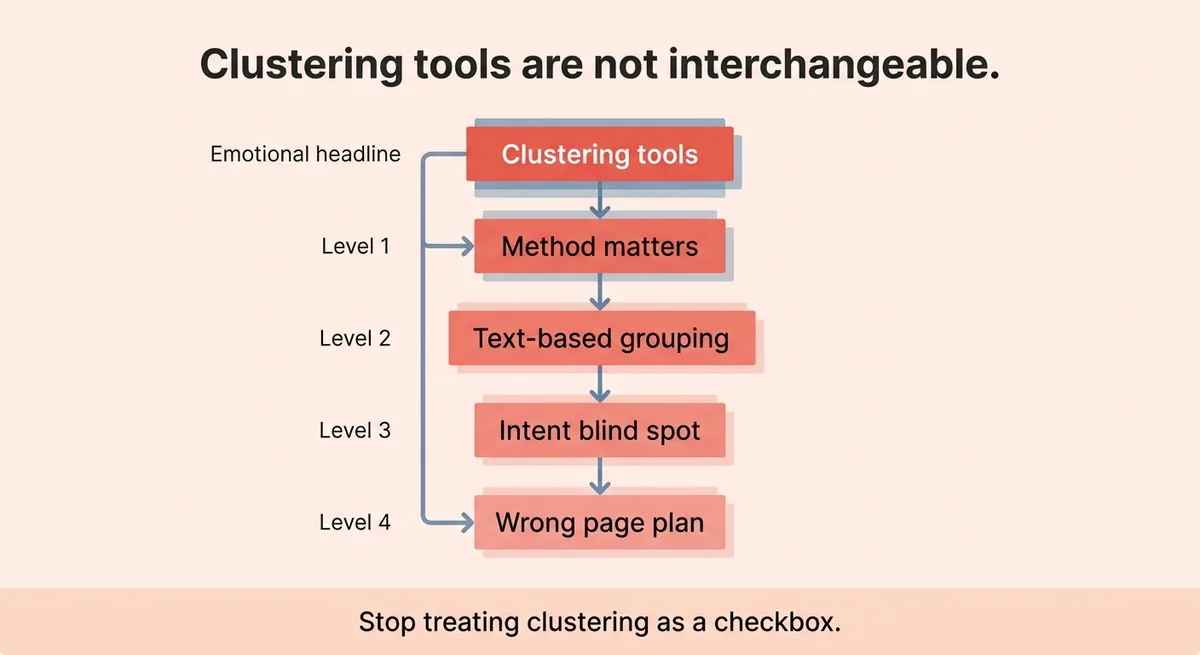
Text-based clustering groups keywords by shared words or semantic similarity. It is fast and cheap. It is also blind to search intent. Two keywords can look identical at the text level and return completely different SERP layouts, user goals, and competing pages. Grouping them together means you are planning one page to serve two audiences. That page will rank for neither.
Stop treating any cluster output as a valid starting point. Start treating intent validation as the first filter, not an optional step after grouping.
A single semantic clustering run can produce 316 clusters [1]. That sounds like a complete dataset. One sample cluster from that same run holds 27 keywords with a combined 140 monthly searches [1]. That cluster also includes ranking pages with a domain authority as low as 12 [1]. On paper, this looks like a low-competition opportunity. Look closer and you find those 27 keywords split across three different user intents. Building one page to cover all of them produces a page that partially answers three questions instead of fully answering one.
Cluster size and total search volume are not opportunity signals on their own. Intent consistency is.
Clustering Method | Grouping Logic | Intent Signal | Best For |
|---|---|---|---|
Text-based | Shared words or semantic roots | None | Initial brainstorming |
SERP-based | Overlapping search results | Yes | Page-level content planning |
SERP-based clustering compares which URLs Google returns for each keyword. When two keywords share enough overlapping results, the tool groups them. This reflects actual searcher behavior, not keyword surface similarity. Teams that skip this layer group keywords that should live on separate pages. The fix is not a better spreadsheet filter. It is a different clustering method from the start.
Free vs. Paid Clustering Tools: What You Actually Get at Each Tier
Of the 8 tools reviewed here, 3 are free and 5 are premium [1]. The gap between tiers is not just price. It is clustering logic and volume ceiling.
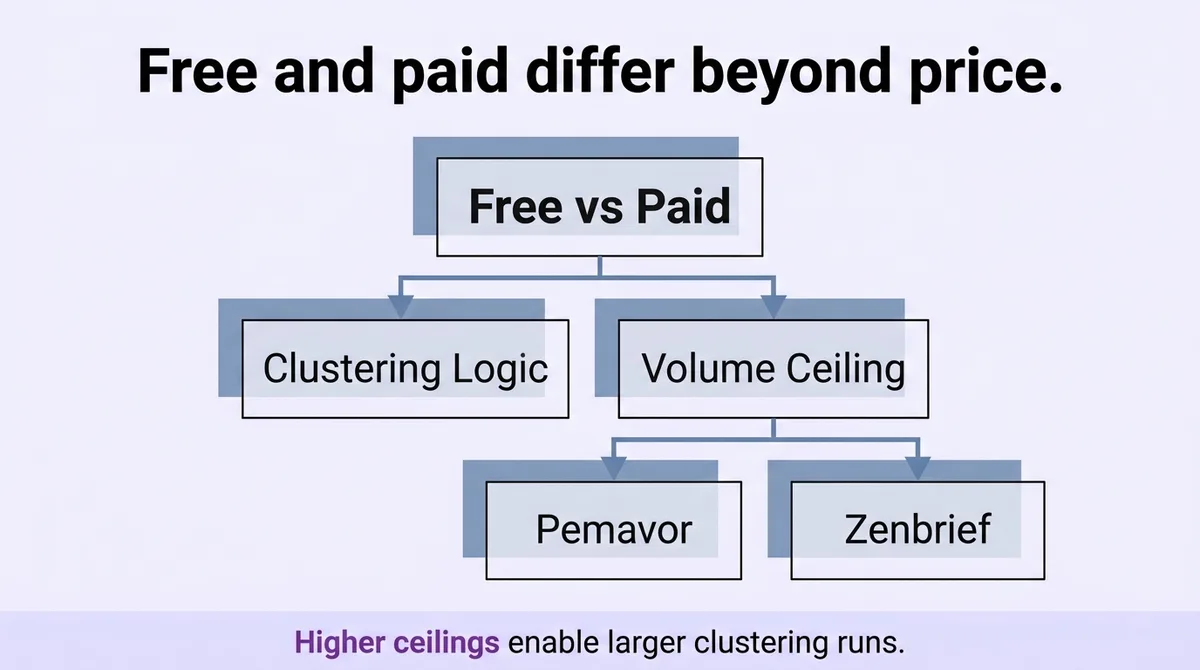
Free tools handle early-stage exploration cleanly. Pemavor accepts up to 10,000 keywords per run [1]. Zenbrief supports projects up to 30,000 words [1]. Contadu’s keyword grouper processes up to 100,000 keywords [1], which is the highest free ceiling in this set. For a new site or a single topic cluster, these limits are workable.
The ceiling problem shows up at scale. A single seed search in LowFruits returns 3,276 keyword ideas [1]. A mid-size site with 500 or more URLs running that kind of volume through a free text-matching tool will generate bloated cluster sets. Cleaning those sets manually adds 6 or more weeks to a content planning cycle. That delay compounds. Briefs don’t get written. The editorial calendar slips. The blog goes quiet for another quarter.
Paid tools justify their cost through clustering logic, not just volume. SERP-based grouping at the paid tier changes what the clusters contain, not just how many keywords fit per run.
Tool | Tier | Keyword Volume Limit | Clustering Method |
|---|---|---|---|
Pemavor | Free | 10,000 per run | Text-based |
Zenbrief | Free | 30,000 words per project | Text-based |
Contadu | Free | 100,000 keywords | Text-based |
LowFruits | Paid (credits) | Scales with credits | SERP-based |
Keyword Insights | Paid | Scales with plan | SERP-based |
SE Ranking | Paid (per query) | Unlimited (pay-per-use) | SERP-based |
The free tier is a reasonable starting point for solo operators running one site. For agency teams managing multiple client blogs simultaneously, free tools create a correction backlog that costs more in labor than any subscription.
The Tool-to-Use-Case Match: A Selection Framework for SEO Teams by Maturity
The Cluster-Fit Matrix maps two variables: team maturity on one axis, use case on the other. Maturity runs from solo operator to full agency. Use case runs from basic grouping to full content pipeline. Where a team falls on that grid determines which tool class fits, before any feature comparison begins.
For solo operators doing opportunistic keyword work, LowFruits fits the access point. Credits start at $25 and subscriptions start at $30 per month [1]. The credit model means low commitment for irregular clustering runs. A freelance writer or a founder doing their own SEO can run targeted clusters without committing to a monthly seat.
Content teams building structured topic clusters at scale need more clustering volume and a trial path. Keyword Insights offers a $1 trial for 4 days with 6,000 clustering credits included [1]. Monthly pricing runs from $58 to $299 depending on volume [1]. That range covers a growing content team up through a mid-size SaaS marketing team running multiple topic pillars.
Agencies running repeated clustering workflows across several client accounts need a tool that stores output and charges per use rather than per seat. SE Ranking charges $0.004 per query and $0.005 per search-volume query [1]. It also stores the last 100 keyword cluster reports [1]. That storage matters for agencies. A client campaign from six weeks ago can be revisited without re-running the full cluster, which preserves query credits.
The Cluster-Fit Matrix, applied before any tool evaluation, changes the selection criteria from feature lists to workflow fit. A team at the solo operator stage does not need 100 stored reports. An agency team does not benefit from a 10,000-keyword cap.
Team Stage | Use Case | Recommended Tool Class |
|---|---|---|
Solo operator | Opportunistic clustering | LowFruits (credit model) |
Content team | Structured topic clusters | Keyword Insights |
Agency | Multi-client, repeated workflows | SE Ranking |
One implementation note: identify your matrix position before trialing any tool. A team that trials a paid tool at the wrong stage will evaluate it against the wrong criteria and dismiss it for reasons unrelated to actual fit.
Some content teams trial Keyword Insights, find it too complex, and revert to a free text-based tool. Six weeks later, they are manually cleaning cluster output on four separate client spreadsheets. The tool was not the problem. The sequence was. They picked the trial before they knew their stage.
From Seed Terms to Content Plan: A Practical Clustering Workflow That Uses Your Tool’s Output
Most content teams stop at the export. The clusters live in a spreadsheet. Nobody assigns them to pages. Nobody decides which cluster becomes a pillar and which becomes a supporting post. The data stalls.
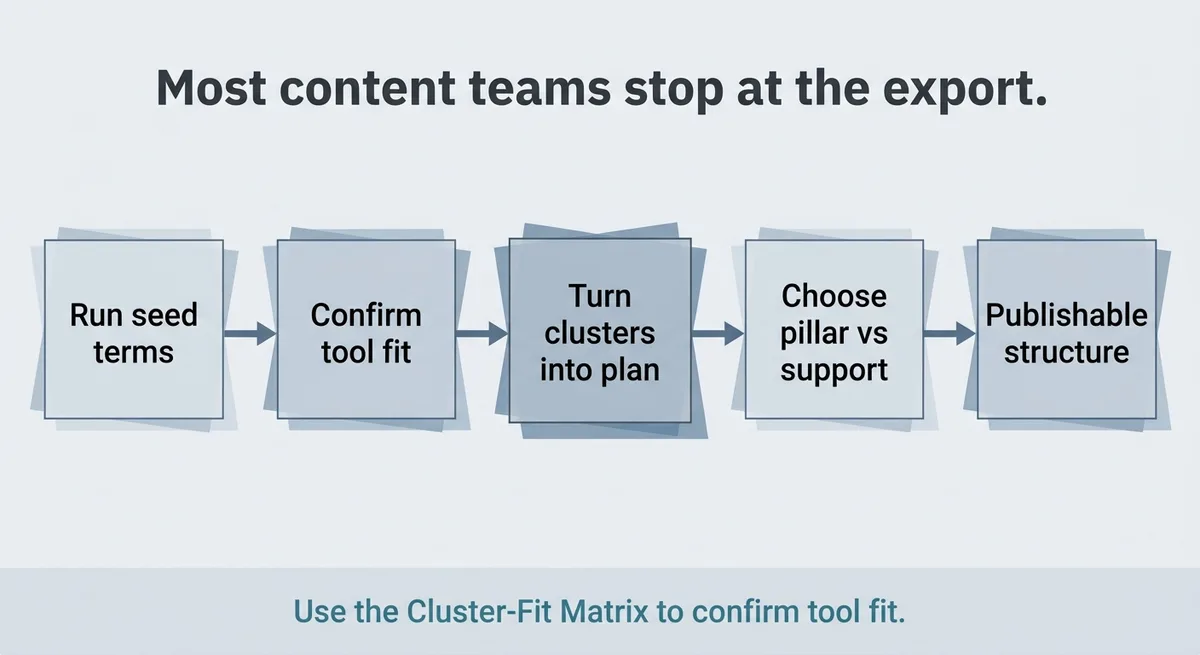
This five-step workflow closes that gap. It starts where the tool ends and finishes at a publishable content structure.
Step 1: Run seed terms through your chosen tool. Use the Cluster-Fit Matrix to confirm you are running the right tool for your team stage. A semantic run producing 316 clusters [1] is only manageable when the next four steps are already planned.
Step 2: Filter clusters by intent consistency, not volume. Sort for clusters where all keywords share the same SERP layout and user goal. A cluster with 27 keywords and 140 monthly searches [1] is worth pursuing only when those 27 keywords all point to the same page type. Mixed intent across a cluster means it needs splitting, not just pruning.
Step 3: Score clusters by competition signal. Pull the DA range of pages ranking within each cluster. Low DA pages in the top results signal accessible entry. A cluster where the lowest-ranking page has a DA of 12 [1] is a different opportunity than one where every result sits above DA 50. Use this score to prioritize order of execution, not just topic selection.
Step 4: Assign each cluster to a content type. Pillar, supporting, or update. One cluster maps to exactly one URL decision. If a cluster is pulling toward two different page types, that cluster needs another split. This step is the mandatory gate before any brief gets written.
Step 5: Export mapped clusters into a calendar format. The output is a dated list of page assignments, not a topic brainstorm. Each row includes: cluster name, primary keyword, content type, assigned URL or slug, and publish date. This is the format that connects clustering to an editorial calendar.
The Cluster-Fit Matrix governs Step 1. Steps 2 through 5 apply regardless of which tool produced the clusters. The workflow is tool-agnostic. The tool selection is not.
A short operational note: teams that skip Step 4 consistently produce briefs that overlap in scope. Two writers end up covering the same subtopic from different angles. Neither page ranks cleanly. Adding the cluster-to-URL assignment step as a hard gate before brief writing prevents this.
Match the Tool to the Workflow, Not the Feature List
Tool selection based on feature lists produces mismatched workflows. A tool with a high keyword limit is not the right tool for a solo operator who runs three cluster reports a year. A free text-based tool is not the right tool for an agency managing 12 client content calendars.
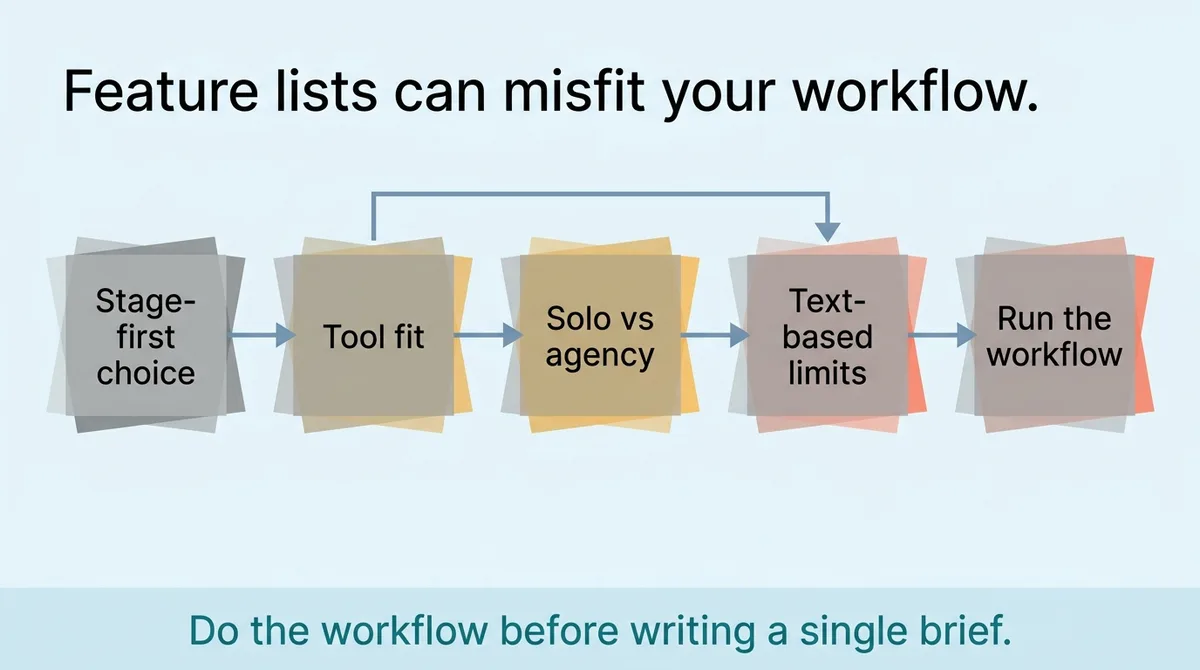
Pick the stage first. Then pick the tool. Then run the five-step workflow on every cluster export before a single brief gets written. The Cluster-Fit Matrix is the starting point for both decisions.
The cluster report is not the deliverable. The page assignment is.
References and Citations
[1]https://thewebsiteflip.com/seo/keyword-clustering-tools/
FAQ
Text-based clustering groups keywords by shared words or semantic similarity, while SERP-based clustering groups them by overlapping search results Google actually returns, making it a direct signal of search intent. Text-based grouping is fast and cheap but blind to intent, meaning two keywords can look identical at the text level yet belong on completely separate pages. SERP-based clustering prevents that mistake by reflecting real searcher behavior, which is why platforms like Zelitho build topic selection around intent-validated grouping rather than surface-level keyword matching.
Turn cluster output into a content calendar by filtering for intent consistency first, scoring clusters by competition signal, assigning each cluster to exactly one content type (pillar, supporting, or update), and then exporting a dated list with cluster name, primary keyword, content type, assigned URL, and publish date. The cluster report is not the deliverable; the page assignment is. Zelitho is built around this exact progression, connecting clustered topic selection through title confirmation, draft generation, and direct CMS publishing so the cluster output never stalls in a shared spreadsheet.
For agencies running repeated clustering workflows across multiple client accounts, SE Ranking is the strongest fit because it charges per query ($0.004 per query, $0.005 per search-volume query) rather than per seat and stores the last 100 keyword cluster reports for easy retrieval. That storage matters operationally: a client campaign from six weeks ago can be revisited without re-running the full cluster, preserving query credits. Free text-based tools at agency scale create a correction backlog that costs more in labor than any subscription.
Large keyword clusters look like opportunity but often contain mixed search intent, meaning one page would need to partially answer multiple different user goals instead of fully answering one. A real example: a single semantic clustering run can produce a cluster of 27 keywords with only 140 combined monthly searches that splits across three separate user intents. Cluster size and total volume are not opportunity signals on their own; intent consistency across every keyword in the group is the filter that actually matters.
Small content teams should prioritize clustering method over volume limits: free tools cap at up to 100,000 keywords but use text-based grouping that carries no intent signal, while paid tools use SERP-based grouping that changes what the clusters contain, not just how many keywords fit per run. For a solo operator or founder doing irregular clustering, LowFruits credits start at $25 and subscriptions at $30 per month, which keeps commitment low. For a growing content team building structured topic clusters, Keyword Insights offers a $1 trial for 4 days with 6,000 clustering credits, scaling from $58 to $299 per month depending on volume.
How Keyword Clustering Tools Work: SERP Overlap vs Semantic Vector Embeddings
When choosing the best keyword clustering tool for your SEO workflow, it is essential to understand the two distinct mathematical approaches modern software uses to group queries:
- SERP-Based Clustering (Hard Clustering): Platforms like Keyword Insights and ClusterAI scrape real-time Google search results for every keyword in your list. If 3, 4, or 5 URLs appear in common on Page 1 for two different keywords, the tool groups them into the same article brief. This provides 100% empirical verification of how Google ranks the topic today. Evaluating the best keyword clustering tools requires analyzing this threshold flexibility.
- Semantic Vector Clustering (Soft Clustering): Platforms like Zenbrief and InLinks pass search terms through language embedding models (such as BERT or Ada). The software measures cosine similarity between phrase vectors, grouping semantically related concepts even if they do not yet share live ranking URLs.
- Hybrid Topic Mapping Architecture: The most effective content clustering for SEO combines both approaches: using semantic embeddings to establish broad pillar categories and SERP overlap thresholds to dictate exact URL-level article assignments.
Best Keyword Clustering Tools: Technical Capability & Benchmark Comparison
The following benchmark matrix compares leading keyword clustering tools across clustering algorithm, geographic customization, content brief integration, and operational throughput:
| Clustering Platform | Clustering Engine Methodology | Max Keyword Processing Capacity | Content Mapping & Brief Integration | Ideal Enterprise Use Case |
|---|---|---|---|---|
| Keyword Insights | Live SERP scraping with customizable overlap thresholds (3 to 6 URLs). | 100,000+ keywords per run. | Native AI brief builder and cannibalization detection. | Enterprise agencies and high-volume content hubs. |
| ClusterAI | Deterministic SERP overlap algorithm with strict 3-URL minimum threshold. | 25,000 keywords per project. | CSV export with primary and secondary keyword designations. | Rapid keyword list deduplication for affiliate and niche sites. |
| Zenbrief | Hybrid NLP semantic embeddings and Google SERP verification. | 15,000 keywords per run. | Full integrated topic brief editor with content scoring. | Editorial teams building pillar page content briefs. |
| SE Ranking Clustering Module | Soft vs Hard clustering toggles based on live SERP comparisons. | 50,000 keywords per project. | Direct integration with position tracking and competitor monitoring. | All-in-one SEO teams managing site rank tracking alongside mapping. |