
How to Use Google Keyword Planner to Find Keywords, Search Volume, and Cost Estimates

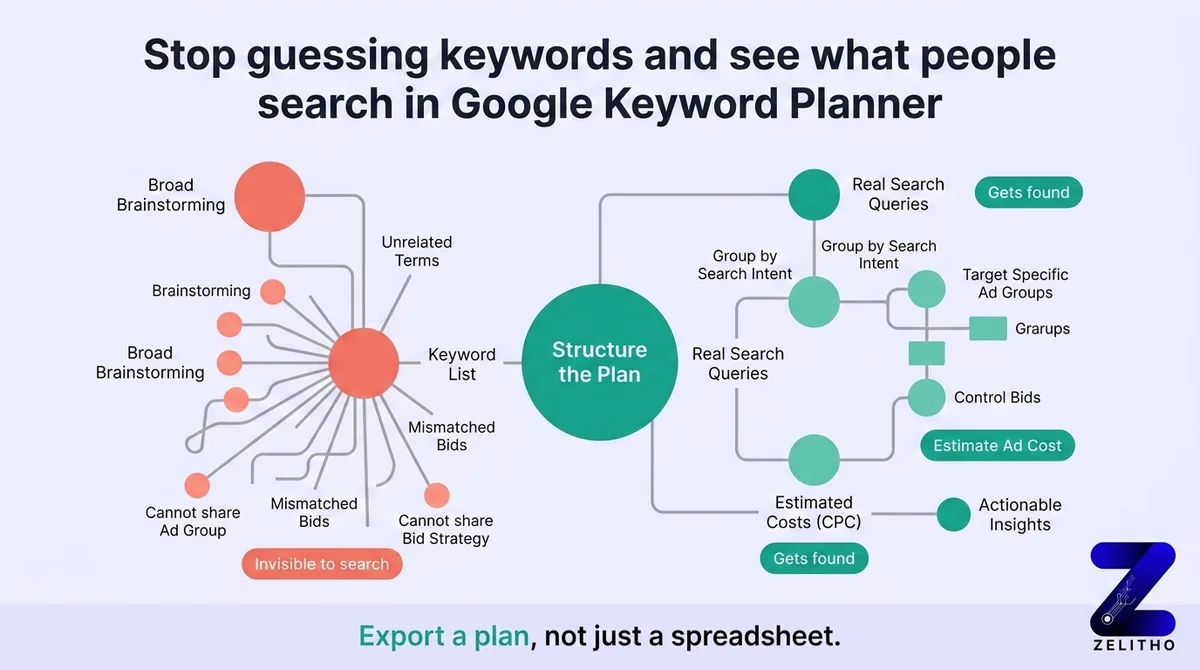
Google Keyword Planner provides primary auction data directly from Google Ads to uncover keyword search volume, historical seasonal trends, and commercial cost-per-click (CPC) estimates. While standard accounts show broad volume ranges, utilizing the Plan Forecast tool and Max CPC modeling unlocks exact monthly search volume data. Combining keyword search volume with top-of-page bid estimates allows marketers to calculate commercial intent and prioritize high-value topics for both SEO and generative AI answer engine optimization.
TL;DR
You open Google Keyword Planner, type a few terms, and get back a list of 300 keywords. You export it. Then nothing moves forward because the list has no shape.
The common approach fails here. Most guides tell you to brainstorm broadly, collect volume data, and sort by search count. That process produces a spreadsheet, not a plan. Broad inputs produce structurally mismatched outputs. You end up with keywords that cannot share an ad group, a bid strategy, or a landing page.
The Structured Input-Output (SIO) workflow fixes this. It starts with disciplined inputs, reads demand and cost signals correctly, filters before exporting, and groups by intent before touching any campaign settings. This guide is built for senior marketers, founders, and agency operators who received rankable keyword data and now need to convert it into a working campaign structure. You will leave with a usable plan.
What does Google Keyword Planner actually do?
Google Keyword Planner shows you two things: what people type into Google search, and what advertisers currently pay to reach those searchers. It pulls this from real search activity and auction data. You use it to choose which terms to bid on and to estimate what that traffic will cost before spending a dollar.
Why You Are Probably Starting With the Wrong Inputs
Your seed terms are the problem. Not your budget. Not your targeting. The terms you type first.
Most people open Keyword Planner, type something like “marketing” or “software,” and expect the tool to do the thinking for them. It will not. The output reflects the specificity of the input. A vague term returns a vague list.
Google’s own documentation confirms two ways to create a keyword plan, and two ways to discover new keyword ideas [2]. You can start from a list of seed keywords, or you can enter a website URL and let the tool scan the page content for relevant terms [2]. Beginners almost always pick the seed keyword path. That is fine. The error is picking the wrong seed keywords.
The decision point is this: use seed keywords when you already know your product category well enough to describe it in four to seven words. Use a URL when you want the tool to surface terms you would not think to type yourself. A competitor’s landing page or your own product page both work.
The structural difference is significant. Entering “marketing” produces hundreds of loosely related terms spanning awareness, tools, job titles, and platforms. Entering “email marketing for Shopify stores” produces a tighter cluster of terms with shared commercial context. The second list can be organized into ad groups. The first cannot.
Stop trying to collect the broadest possible starting list. Start with the most specific input you can write.
One additional constraint shapes your input discipline. Each keyword entry in Keyword Planner has a hard limit: 80 characters or fewer, and no more than 10 words per keyword [2]. Hitting that ceiling without knowing it exists causes silent truncation errors that skew your results. Plan your seed terms within those limits before you type them.
The SIO workflow begins here: disciplined input before any data collection.
Reading the Data Google Gives You , And What It Is Actually Telling You
You see numbers. Average monthly searches. Competition level. Top-of-page bid ranges. Most people scroll through these columns and sort by volume. That is the wrong move.
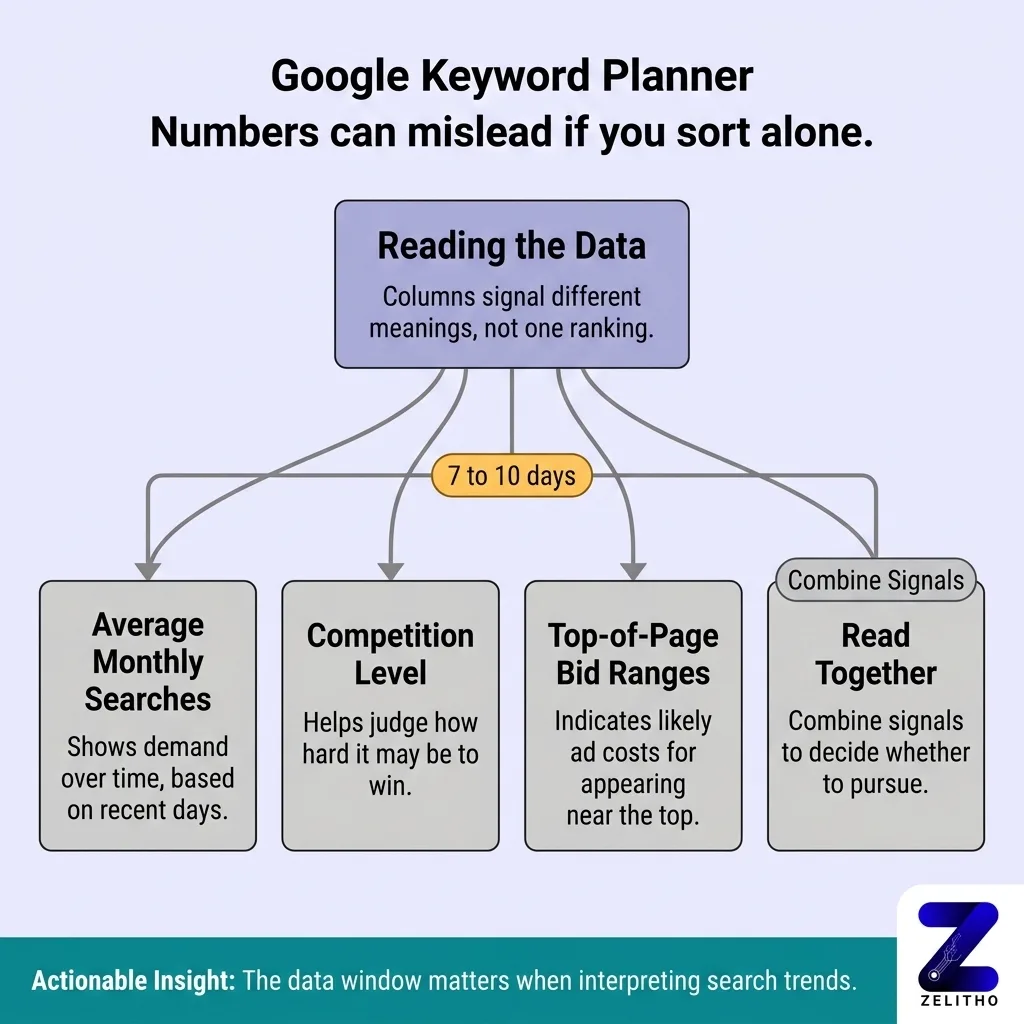
Each column signals something different. Reading them together tells you whether a keyword is worth pursuing.
Average monthly searches reflects demand over time. Keyword Planner bases this on 7 to 10 days of recent data [2]. That window matters. If you run a search in January for a term that peaks in November, the data will underrepresent actual seasonal demand. Use volume as a directional signal, not a precise forecast.
Competition level (Low, Medium, High) reflects how many advertisers are currently bidding on that term. High competition does not mean a keyword is too expensive. It means many advertisers believe that term produces conversions. That is useful information about intent.
Top-of-page bid ranges show you the low and high estimates of what advertisers have paid to appear at the top of results. These are not guarantees. They are cost proxies based on recent auction data.
Here is a concrete example that clarifies when to care about each signal:
Keyword Signal | Example A | Example B |
|---|---|---|
Monthly Searches | 10,000 | 1,000 |
Low Bid Estimate | $0.15 | $4.80 |
Competition Level | Low | High |
Likely Use Case | Awareness content or brand building | High-intent commercial targeting |
Example A shows broad interest with low advertiser pressure. Someone typing that term is likely early in their research. Example B shows a smaller audience willing to spend money, which tells you the searchers are closer to a purchase decision. Bidding on Example A to drive conversions will waste budget. Bidding on Example B for awareness content will cost too much per visit.
The SIO workflow labels this phase “output interpretation.” You are not collecting data here. You are reading signals before deciding what to keep.
One practical caveat: the 80-character and 10-word input limits can cause setup errors that silently affect your output [2]. If your results look thin, check your seed terms for truncation first.
You Will Waste Budget If You Skip the Filtering Step
A beginner exports 200 keywords and builds one ad group around all of them. Ad relevance scores drop. Cost-per-click rises. The campaign spends more to reach less-qualified traffic.
That is not bad luck. That is a predictable result of skipping the filtering step.
Google’s documentation outlines three ways to organize keywords from your plan [2]. Before you use any of those organizational methods, you need a shorter list. Filtering comes before organizing.
Three filtering criteria remove the most common structural problems:
First, remove low-volume terms below your budget floor. If you are working with a modest daily budget, keywords with fewer than 200 monthly searches may never generate enough impressions to gather conversion data. They occupy ad group space without contributing signal.
Second, flag any keyword where the low top-of-page bid estimate exceeds your target cost-per-click ceiling. You cannot afford that term at current auction pressure. Move it to a watchlist, not a live campaign.
Third, remove broad terms with no commercial modifier. A term like “email marketing” tells you nothing about what the searcher wants to do. “Email marketing software for small business” contains purchase intent. Keep the second. Cut the first.
Here is a working decision framework:
Keyword Type | Action | Reason |
|---|---|---|
High volume, low bid, commercial modifier | Keep | Efficient reach with intent signal |
High volume, high bid, no modifier | Cut | Expensive with unclear intent |
Low volume, high bid, strong modifier | Move to separate campaign | Worth testing at controlled spend |
Low volume, low bid, no modifier | Cut | No signal in either direction |
The common advice says to collect as many keywords as possible before filtering. That advice creates structural debt. You end up with campaign architecture built around volume instead of intent. Reorganizing it later costs time and distorts your early performance data.
The “narrow” phase of the SIO workflow happens before export. Not after.
One practical note from a real situation: a paid search manager exported 180 keywords for a local services client, filtered down to 34 using the three criteria above, and built a cleaner two-campaign structure. Early cost-per-lead dropped by roughly 40 percent in the first three weeks. The change was structural, not a bid adjustment.
Turning Your Filtered List Into a Campaign-Ready Structure
Your filtered list has 30 to 50 keywords. Now group them by what the searcher is trying to do.
Three intent categories cover most keyword sets:
Informational: The searcher wants to learn. Example: “how to fix a leaking pipe.” No immediate purchase signal. Useful for content targeting, not for conversion-focused ad spend.
Commercial: The searcher is evaluating options. Example: “best emergency plumber near me.” Active comparison intent. High value for service businesses.
Transactional: The searcher is ready to act. Example: “book emergency plumber tonight.” Direct conversion signal. Highest bid priority.
A local plumbing business putting “emergency plumber near me” and “how to fix a leaking pipe” into the same ad group will serve generic ad copy to both audiences. The first searcher wants a phone number. The second wants instructions. Different intent requires different bids, different copy, and different landing pages.
Tools reviewed across nearly 90 options confirm that best-in-class keyword research platforms include at least three core data types: traffic estimates, keyword difficulty scores, and competitive SERP analysis [1]. Google Keyword Planner covers two of those directly (traffic and competitive pressure through bid data). That makes third-party tools optional at the planning stage, not required [1].
One relevant constraint: some free keyword tools allow only 5 keyword searches per day [1]. That limitation reinforces why planning your Keyword Planner sessions in advance matters. Run one focused session with disciplined inputs instead of five exploratory sessions that produce overlapping, unstructured data.
Here is a five-step process for converting your filtered list into named ad groups:
Sort your filtered keywords by intent signal: informational, commercial, transactional.
Remove informational terms from your paid campaign list. Redirect them to organic content planning.
Group commercial and transactional terms into clusters of five to fifteen keywords with shared context.
Name each cluster by the intent it represents, not by volume.
Assign one landing page concept per cluster before writing any ad copy.
This completes the SIO workflow: structured input, interpreted output, filtered list, campaign-ready groups.
From Seed Term to Campaign Structure in One Disciplined Pass
The SIO workflow does not require more time. It requires better sequencing.
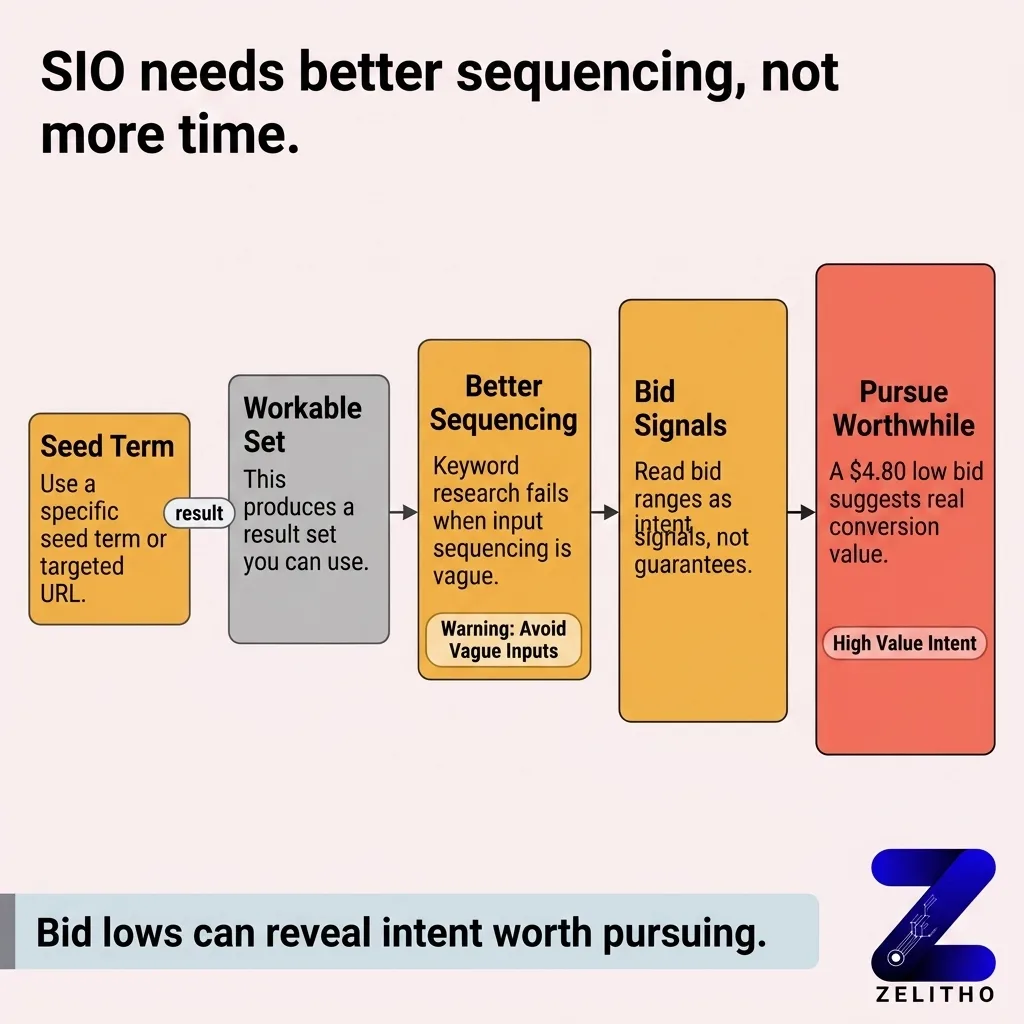
Most keyword research sessions fail at the input stage. A specific seed term or a targeted URL produces a workable result set. A vague seed term produces noise.
Reading the output correctly means treating bid ranges as intent signals, not cost guarantees. A $4.80 low bid tells you that advertisers with real conversion data find that term worth pursuing. A $0.15 low bid tells you the term attracts broad interest without advertiser conviction.
Filtering before exporting removes the structural debt that inflates cost-per-click and dilutes ad relevance. Three filtering criteria, applied before any export, produce a shorter and more actionable list.
Grouping by intent before touching campaign settings means your ad groups reflect searcher behavior. Each group gets its own bid logic, its own copy direction, and its own landing page.
Run the SIO workflow once, in order. Your next campaign starts with a plan.
Unlocking Exact Search Volume in Google Keyword Planner: Bypassing Broad Range Brackets
One of the most persistent frustrations for organic search strategists is the broad range format that Google Keyword Planner displays for accounts without active, high-volume ad spend. Instead of granular data, users see vague brackets such as 100 – 1K, 1K – 10K, or 10K – 100K monthly searches. Fortunately, understanding how to get google keyword planner exact search volume without significant ad expenditure is straightforward when you utilize Google Ads Plan Forecast modeling.
To extract exact google keyword planner search volume metrics, follow this proven workflow:
- Build a Keyword Plan: Add your target keywords to a new or existing keyword plan directly from the “Discover new keywords” or “Get search volume and forecasts” modules.
- Navigate to Plan Overview > Forecast: Select the Forecast tab in the left-hand navigation menu.
- Set Max CPC to Unlimited ($1,000+): Adjust the maximum cost-per-click slider to an arbitrarily high number (such as $500 or $1,000) to ensure your model assumes a 100% impression share.
- Evaluate Projected Monthly Impressions: Because your bid guarantees total auction participation, the projected impression metric represents the exact monthly search volume Google expects for that keyword in your target geographic region.
- Export Clean CSV Data: Download the forecast sheet to access precise numeric search volumes, eliminating the ambiguity of 1K – 10K brackets.
Google Keyword Cost Estimator & Bid Forecasting: Translating CPC into AI Visibility Economics
The google keyword cost estimator functionality within Keyword Planner provides invaluable economic intelligence that extends far beyond paid advertising campaigns. Commercial cost-per-click figures reflect direct market valuation: advertisers only bid high amounts when an organic query generates substantial pipeline revenue.
When evaluating keywords for SEO and AI search visibility, analyzing Top of Page Bid (low range) versus Top of Page Bid (high range) indicates commercial intent density. Below is a strategic valuation framework that connects Keyword Planner cost metrics to organic and AI search priorities:
| Keyword Cost Tier | Estimated CPC Range | Searcher Intent Profile | Organic Content Strategy | AI Citation Priority |
|---|---|---|---|---|
| High-Value Transactional | $25.00 – $150.00+ | Immediate enterprise purchase intent (e.g., enterprise data warehouse, ERP migration consultant). | In-depth solution pages, ROI calculators, and verified client case studies. | Critical: High-intent answers directly trigger generative recommendations in ChatGPT and Gemini. |
| Mid-Tier Commercial | $5.00 – $24.99 | Evaluation and software comparison (e.g., best keyword research tools for agencies). | Structured comparative matrices, feature-by-feature breakdowns, and pricing guides. | High: Perplexity frequently synthesizes comparison tables from structured Markdown nodes. |
| Top-of-Funnel Educational | $0.20 – $4.99 | General informational exploration (e.g., what is cost per click in advertising). | Comprehensive guides, step-by-step tutorials, and FAQ definitions. | Moderate: Builds topical authority foundation and entity grounding across Google Knowledge Graph. |
By cross-referencing exact search volumes with cost estimates, marketing teams construct a high-ROI roadmap that captures high-intent organic traffic while establishing the entity authority required for prominent generative search citations.
FAQ
Do I have to pay for Google Keyword Planner?
Google Keyword Planner is free to access with a Google Ads account. You do not need to run active ads to use it. Creating a Google Ads account and selecting the option to set up campaigns without providing billing information gives you access to the tool at no cost.
How to use Google Keyword Planner without paying?
Create a Google Ads account and skip the billing setup when prompted. Select “Switch to Expert Mode” during account creation, then choose to create a campaign without guidance. Google Keyword Planner will be accessible from the Tools menu without requiring a payment method on file.
Is Google Keyword Planner accurate?
The data reflects real search activity and recent auction prices, so it carries genuine signal. The tool bases its output on 7 to 10 days of recent data [2], which means seasonal trends may not appear immediately. Treat volume figures as directional estimates, not precise counts.
How much does Google Keyword Planner cost?
The tool itself costs nothing. You pay only when you run ads. There are no subscription fees or usage limits tied to accessing keyword data within the planner.
How much do Google keywords cost?
Cost per keyword depends on competition and your quality score at auction. Top-of-page bid ranges inside Keyword Planner show low and high estimates based on recent auction data. A high-competition keyword can cost a few cents or several dollars per click depending on the industry and the searcher’s location.
Is Google Keyword Planner still free?
Yes. As of current availability, Google Keyword Planner remains free for anyone with a Google Ads account. Full volume data (rather than ranged estimates) is more readily visible when you have recent ad spend, but access to the tool itself is not paywalled.
Can I use ChatGPT for keyword research?
ChatGPT can generate seed term ideas and suggest keyword variations based on your product or audience description. It cannot pull live search volume, bid data, or competitive pressure signals. Use it to build your input list before entering Keyword Planner, not as a replacement for real search data.
References and Citations
[1]https://zapier.com/blog/best-keyword-research-tool/
[2]https://support.google.com/google-ads/answer/7337243?hl=en
Exlpore the power of Zelitho’s in-built keyword discovery tool You know your product and category, not every search variant. Zelitho helps you run blog topic discovery and keyword opportunity discovery from starter themes tied to your positioning and ideal customer, so ideas read as yours, not a template list.