
What Are Keyword Research Tools? How They Help You Find High-Opportunity Search Terms

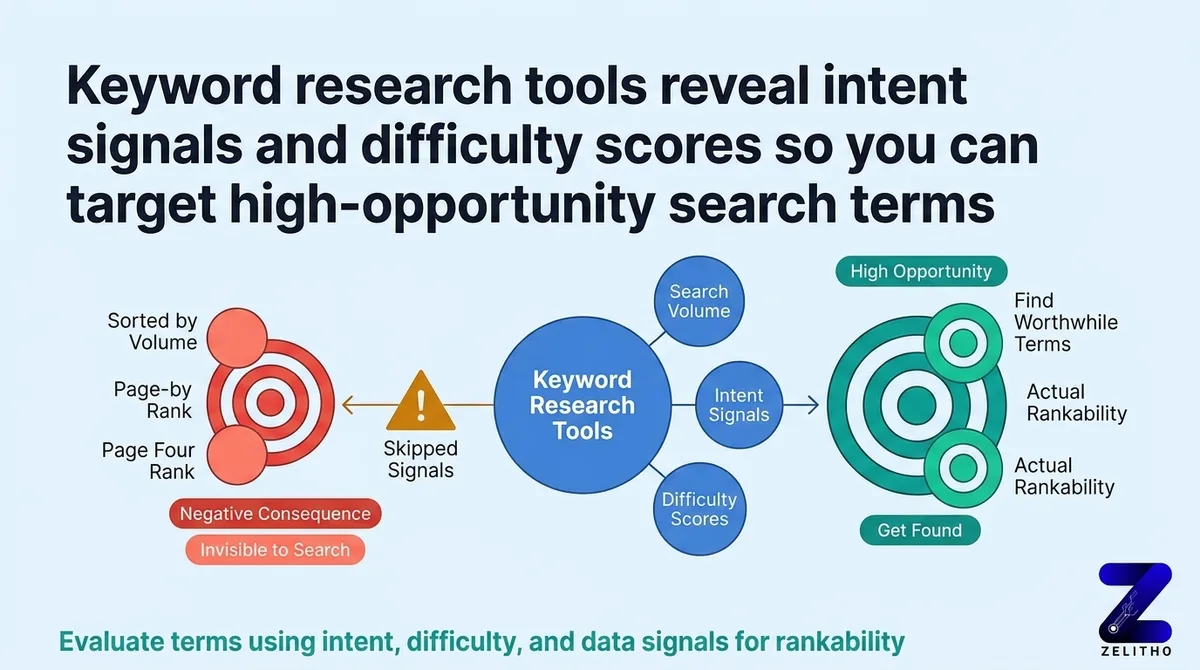
To define what is keyword research tool functionality clearly: a keyword research tool is software that analyzes search engine query databases to uncover monthly search volume, ranking difficulty, commercial intent, and semantic keyword variations. Modern keyword research tools ingest both aggregated clickstream data and direct search engine API feeds, enabling content teams and specialized professionals to discover high-opportunity search terms that drive targeted organic traffic and AI search citations.
TL;DR
You exported a keyword list, sorted by volume, and started writing. Three months later, the pages rank on page four. The data was real. The filtering logic was missing.
Most marketers treat keyword platforms as suggestion engines. They pull a list, pick the highest numbers, and move on. That skips the signals that actually predict rankability: intent classification, difficulty scoring against real SERP competitors, and data freshness tied to actual crawl cycles.
The Signal Evaluation Framework presented here covers four layers: volume range, intent type, competitive difficulty, and tool-type matching. It applies to senior marketers prioritizing content investment, founders building a scalable search program, and agency owners managing keyword decisions across multiple clients. Pick the right filter layer first. The right tool follows from that.
What are the tools used for keyword research?
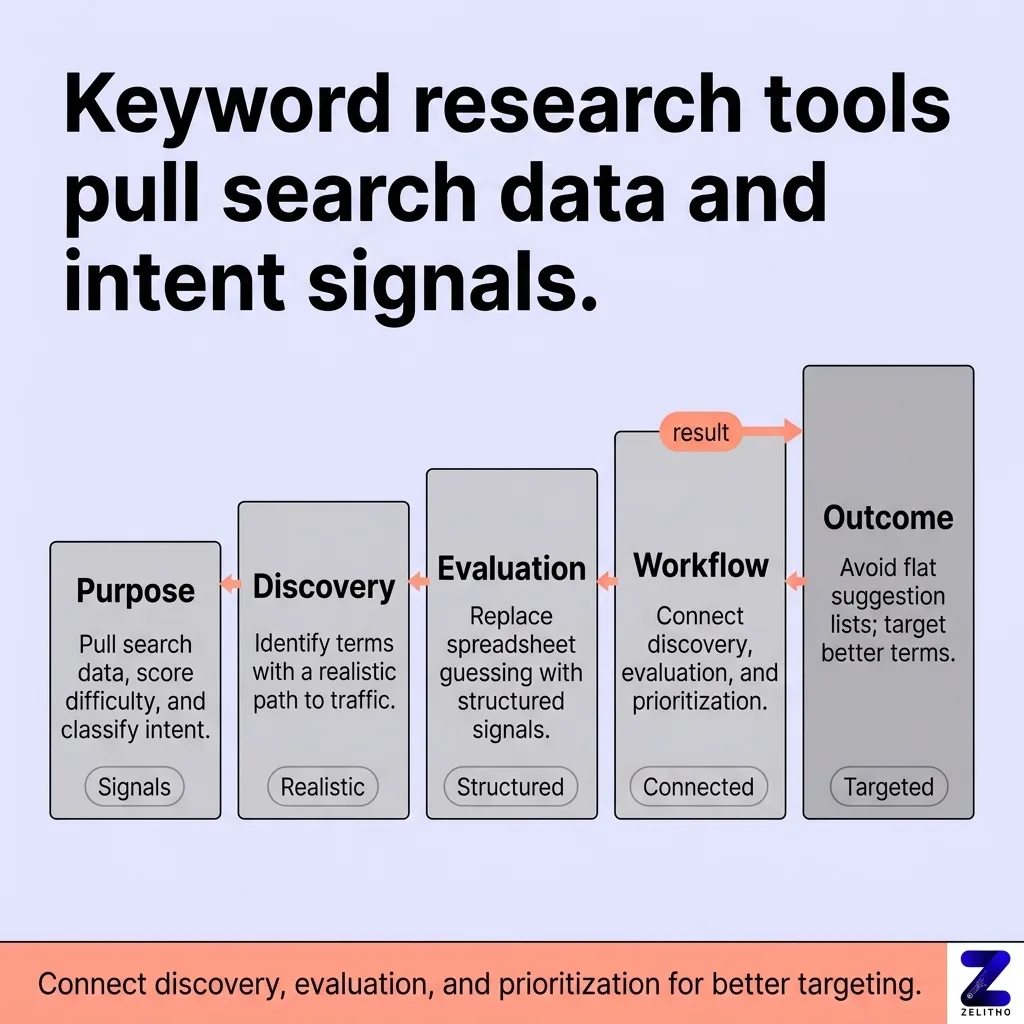
Keyword research tools are software platforms that pull search data, score ranking difficulty, and classify search intent so you can identify terms with a realistic path to traffic. They replace spreadsheet guessing with structured signals. The best ones connect discovery, evaluation, and prioritization in a single workflow rather than producing a flat suggestion list.
What Keyword Research Tools Actually Do , and What They Are Not
You open a keyword platform, type in your core topic, and 400 suggestions appear. You sort by monthly search volume, pick the top 20, and hand them to the content team. That workflow is common. It is also incomplete.
Keyword research tools do more than generate suggestions. A single search can surface hundreds of keyword ideas instantly [3], but volume numbers alone do not tell you whether a term is winnable, whether the searcher is ready to buy, or whether the SERP rewards content like yours. The suggestion list is the starting point, not the output.
What these tools actually measure
The core function is data retrieval and signal scoring. A capable platform pulls from a keyword index, then layers on difficulty estimates, intent labels, and competitive SERP snapshots. Some databases index over 27 billion keywords across 140+ countries [4]. That scale matters because niche terms in low-competition verticals only appear when the index is large enough to capture them.
Google’s own suggestion surfaces, autocomplete, People Also Ask, and related searches, represent three organic discovery layers built into the search interface itself [3]. Keyword platforms aggregate and expand on those signals programmatically.
What these tools are not
A keyword tool is not a content calendar. It does not tell you what to write. It tells you what people search for, how often, and how hard it is to rank for that term given current SERP competition. Treating the output as a content brief without applying evaluation filters wastes the signal entirely.
Stop exporting raw lists. Start applying difficulty and intent filters before any keyword reaches a content plan.
The false assumption worth correcting early: high search volume means high opportunity. A term with 50,000 monthly searches dominated by major media brands offers less real opportunity than a 900-search term where the top results are thin forum posts.
You Are Probably Skipping the Signals That Separate High-Opportunity Terms from Noise
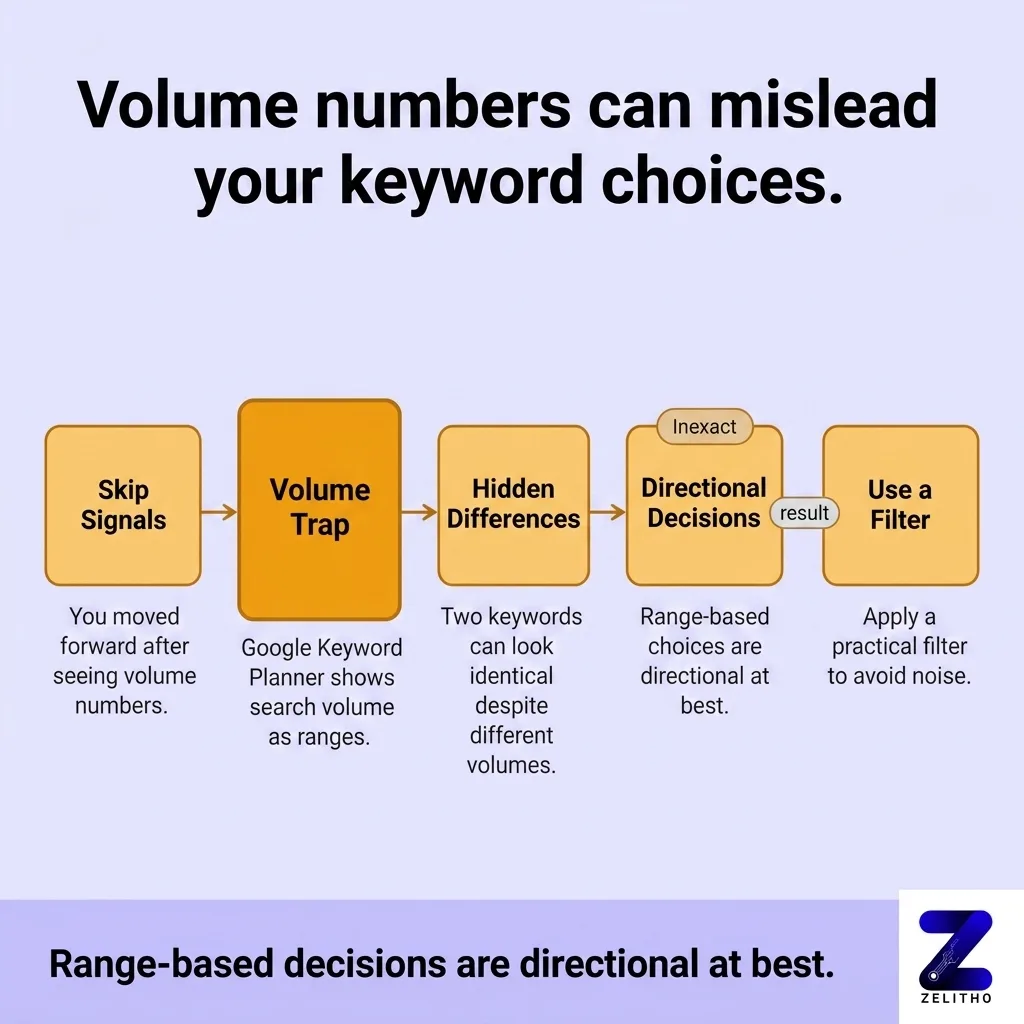
You ran a search, saw volume numbers, and moved forward. The signal you skipped was not hidden. It was right next to the volume column.
The volume trap
Google Keyword Planner shows search volume as ranges, such as 1K to 10K, unless an account carries sufficient ad spend to unlock exact figures [3]. That means two keywords with very different actual search volumes appear identical in the planner. Decisions made on those ranges are directional at best.
A practical filter: target a volume range of 101 to 1,000 monthly searches for new or mid-authority sites [4]. Terms above 10,000 typically require domain authority most growing sites have not built yet.
Intent classification changes everything
A keyword tool worth using classifies intent. There are five types reported in structured tool output: informational, transactional, commercial, navigational, and mixed [4]. Three broader categories anchor most intent models [5]. The category determines where in a buyer’s path the content belongs.
A page built to rank for a transactional term but written as an informational explainer will not convert. The mismatch costs both ranking position and revenue. That is a concrete efficiency loss, not a vague performance issue.
Keyword difficulty is a relative score, not a gate
Difficulty scores estimate how hard it is to rank based on the authority and backlink profiles of current top-ranking pages. They are not binary pass/fail signals. A difficulty score of 45 on one tool may reflect a SERP full of weak content. A score of 30 on another may reflect three entrenched domain authorities.
Use difficulty scores comparatively within a single tool. Switching tools mid-evaluation introduces scoring inconsistencies that distort prioritization.
Data freshness determines signal accuracy
A keyword index updated monthly will miss seasonal shifts and emerging queries. Content planned around stale volume data may target terms that peaked six months ago. Check when a tool last refreshed its core data before building a quarterly content plan around its output.
How Tool Types Compare When Your Goal Is Prioritization, Not Just Discovery
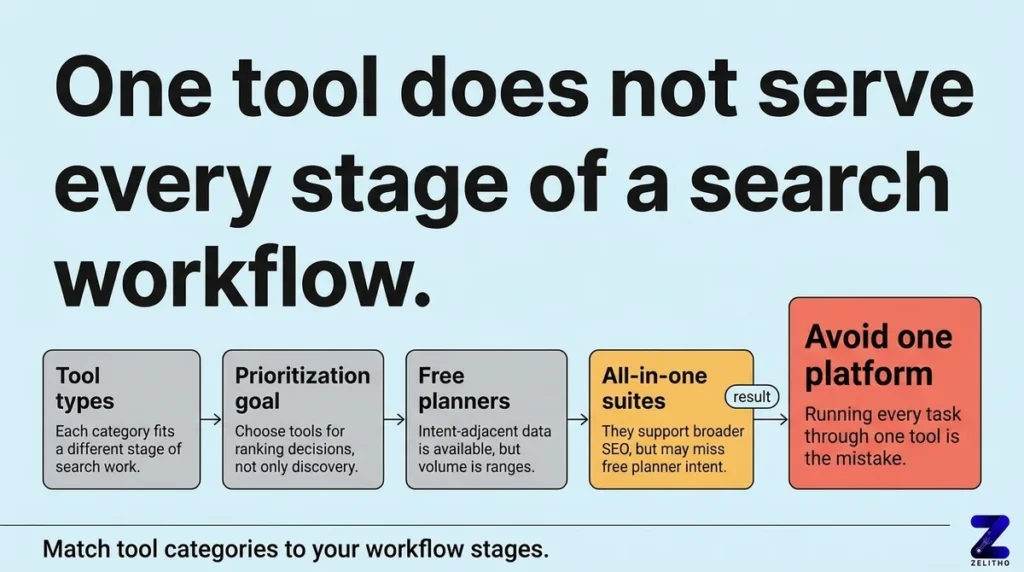
One tool does not serve every stage of a search workflow. The clearest mistake is running every task through a single platform because it is the one you know.
The four tool categories
Tool Category | Primary Strength | Where It Falls Short |
|---|---|---|
Free planners (e.g., Google Keyword Planner) | Intent-adjacent data, free with Ads account [4] | Volume shown as ranges unless ad spend qualifies [3] |
All-in-one SEO suites (e.g., Ahrefs, Moz Pro) | Depth of SERP analysis, backlink data, difficulty scoring | Higher cost: Ahrefs starts at $129/month [2], Moz Pro at $49/month [2] |
Intent-focused tools (e.g., AnswerThePublic) | Question-based queries from two search engines [3] | Priced at $4–$99/month [2], limited volume data |
Gap analyzers | Competitor keyword comparison against up to 5 domains [3] | Requires existing competitor set to function |
Free planner constraints are real
Google Keyword Planner is free with a Google Ads account [4]. That access point makes it a default first tool for many teams. One limitation: search volumes appear as ranges, not exact figures, for accounts without active ad spend. For SEO prioritization, that imprecision compounds quickly across a list of 200 terms.
Free plans across other tools carry hard usage limits. Some allow 5 keyword searches per day [1]. Others cap at 3 searches per day [1]. One free tier allows up to 10 analytics reports per day [1]. These limits make free plans workable for validation, not for bulk discovery.
All-in-one suites serve different stages
Moz Pro offers a 30-day free trial and four paid tiers ranging from $49 to $299 per month [2]. Its rank tracking covers 170+ search engines [2]. Ahrefs runs from $129 to $449 per month at standard tiers, with an enterprise option at $14,990 per year [2]. These platforms pair well with prioritization work because they show why a term is difficult, not just that it is.
Paid tiers for enterprise-adjacent tools can include up to 10,000 results per report and 500 tracked keywords [1]. That scale matters for agencies managing multiple client domains simultaneously.
AnswerThePublic fills a specific discovery gap
For question-based content, AnswerThePublic generates autocomplete-based query clusters from two search engines [3]. Its pricing range of $4 to $99 per month [2] makes it accessible, but it does not score keyword difficulty. Pair it with a suite for prioritization.
The gap analyzer category
Keyword gap analysis compares your domain’s keyword coverage against up to five competitors [3]. This category answers a different question than standard discovery tools. It does not ask “what should I target?” It asks “what are competitors ranking for that I am not?” That distinction matters for teams that have already mapped core topics and need to find coverage holes.
Close to 90 tools exist in this space, and a rigorous review process involving dozens of testing hours and three sample keyword searches identified only four free tools that meet minimum standards for practical use [1]. The number of available options creates selection paralysis. A category-first mental model cuts through it.
A Step-by-Step Selection Workflow for Finding the Right Tool for Your Specific Search Goals
The Signal Evaluation Framework has four steps. Each step eliminates a class of wrong decisions before the next step begins.
Step 1: Define your goal before you open any tool
Are you doing initial discovery, intent filtering, difficulty scoring, or competitive gap analysis? Each task maps to a different tool category. Using one platform for all four stages is the most common source of weak keyword lists.
A team building a content program from scratch needs discovery volume first. A team with 50 published pages needs gap analysis next. A team preparing a paid search campaign needs intent classification above all.
Step 2: Match the tool type to the goal
After defining the task, select the tool category that fits it. Free planners work for paid search volume benchmarking. All-in-one suites work for organic prioritization. Intent-focused tools work for question-based editorial planning. Gap analyzers work when a competitor keyword map already exists.
Eight tools were compared in one structured roundup, and ten in another [4][2]. Across those comparisons, no single tool dominated every category. That pattern is consistent across independent reviews.
Step 3: Apply four selection criteria
The four criteria used in rigorous tool evaluation are: data depth (index size and freshness), intent classification capability, difficulty scoring methodology, and export or integration options [1].
Google Search Console surfaces up to 1,000 queries from your own domain [4]. That free data set is a baseline any tool selection process should account for. Paid tools should add what Search Console cannot provide: competitor data, intent labels, and difficulty benchmarks.
Step 4: Run a test search before committing
Test every candidate tool with the same three keyword searches [1]. Compare the volume estimates, the difficulty scores, and the intent labels across tools for the same term. Discrepancies reveal each tool’s data source and scoring logic.
One paid tier starts at $29.90 per month with up to 100 lookups per day [1]. That entry-level access is sufficient for a structured test. Run the test before upgrading.
A case moment worth noting
A content team targeting a B2B software vertical ran all keyword decisions through a free planner for eight months. Volume estimates were range-based. Intent filtering was manual. After switching to a tool that applied intent classification automatically, they removed 34 low-intent terms from their content queue and redirected those resources to 12 commercial-intent terms with lower difficulty scores. Content output stayed the same. Qualified traffic from new pages increased measurably within a single quarter.
The correction was not a tool upgrade. It was a filtering step that the original workflow skipped entirely.
Match the Tool to the Signal Before You Match It to the Budget
The Signal Evaluation Framework is not about spending more. It is about filtering correctly before any dollar or hour is committed.
Volume is the most visible signal. It is also the least predictive on its own. Intent type, difficulty score, and data freshness each carry more weight when the goal is pages that rank and convert. The right tool for your stage surfaces those signals clearly.
Start with the goal. Match the tool category. Apply the four criteria. Run the test search. A keyword list built on that path is ready to drive decisions, not just fill a spreadsheet.
Pick the right signal layer. The tool that shows it clearly becomes the obvious choice.
Explore Zelitho’s Keyword Discovery tool feature to power your content creation.
FAQ
Keyword research tools include free planners like Google Keyword Planner, all-in-one SEO suites like Ahrefs and Moz Pro, question-based tools like AnswerThePublic, and competitive gap analyzers. Each category serves a different stage of the keyword workflow. No single platform covers every stage with equal depth.
The four types are on-page SEO (content and HTML optimization), off-page SEO (link acquisition and authority signals), technical SEO (crawlability and site structure), and local SEO (geographic relevance and local search visibility). Keyword research informs on-page and local SEO most directly.
A keyword tool surfaces search terms, estimates monthly search volume, scores ranking difficulty, and classifies searcher intent. It replaces manual guessing with structured data pulled from real search behavior. The output guides content planning, paid search bidding, and competitive positioning decisions.
References and Citations
[1]https://zapier.com/blog/best-keyword-research-tool/
[2]https://www.geeksforgeeks.org/blogs/keyword-research-tools/
[3]https://mangools.com/blog/keyword-research/
[4]https://www.semrush.com/blog/keyword-research-tools/
[5]https://www.harvardmedia.com/blog/keyword-research-essential-tools-and-techniques-for-seo-success
Is Data from Keyword Research Tools Accurate? Clickstream Feeds vs Google API Models
A critical question digital marketers and researchers ask is whether data from keyword research tools is accurate. When asking what is keyword research tool precision, the reality is that no third-party platform possesses a direct real-time counter for every individual search query. Instead, keyword research tools synthesize estimates from two primary data pipelines:
- Google Ads API and Keyword Planner Feeds: These metrics reflect search ranges aggregated directly from Google advertising platform. While accurate for commercial bidding trends, Google frequently bundles similar keywords into unified volume buckets, obscuring singular long-tail query volumes.
- Aggregated Clickstream Panels: Platforms like Ahrefs, Semrush, and Moz ingest anonymized browsing behavior from browser extensions and mobile application panels. This allows tools to detect zero-click searches and calculate actual Click-Through Rates (CTR), though smaller geographic niches may suffer from sample variance.
- Search Console Verification: The only 100% verified first-party data comes from your own Google Search Console property, which logs actual impression counts and average ranking positions for queries where your site appeared in the SERP.
Keyword Research Tool Data Sources and Feature Capabilities
When evaluating what is a keyword research tool and how to select the right platform for your organization, compare how different software models handle search volume, competitive difficulty, and niche query discovery.
| Tool Capability Dimension | Google Keyword Planner | Third-Party Suites (Semrush, Ahrefs, Moz) | AI-First & Niche Research Tools |
|---|---|---|---|
| Primary Data Source | Direct Google Ads bid forecast database. | Hybrid Google API plus multi-million user clickstream panels. | SERP scraping, Google autocomplete, and LLM embedding graphs. |
| Keyword Difficulty Accuracy | Only measures Paid PPC competition (High / Med / Low). | Calculates Organic Difficulty (KD) based on Page 1 backlink profiles. | Evaluates topical authority depth and generative search citations. |
| Niche Long-Tail Discovery | Groups long-tail terms into rounded commercial brackets. | Uncovers exact matching queries and question-based parent clusters. | Identifies high-opportunity search terms and conversational prompts. |
| Niche Vertical Practical Example | Commercial lead gen bidding across broad regional markets. | Competitor organic gap analysis across enterprise software. | Specialized applications, such as keyword research tools for therapists or local clinics. |