
What Is a Keyword Tool and What Is It Used For in SEO?


TL;DR
You published a page last month. It covers a topic you know your audience searches for. Six weeks later, it sits at position 34. You have no data explaining why.
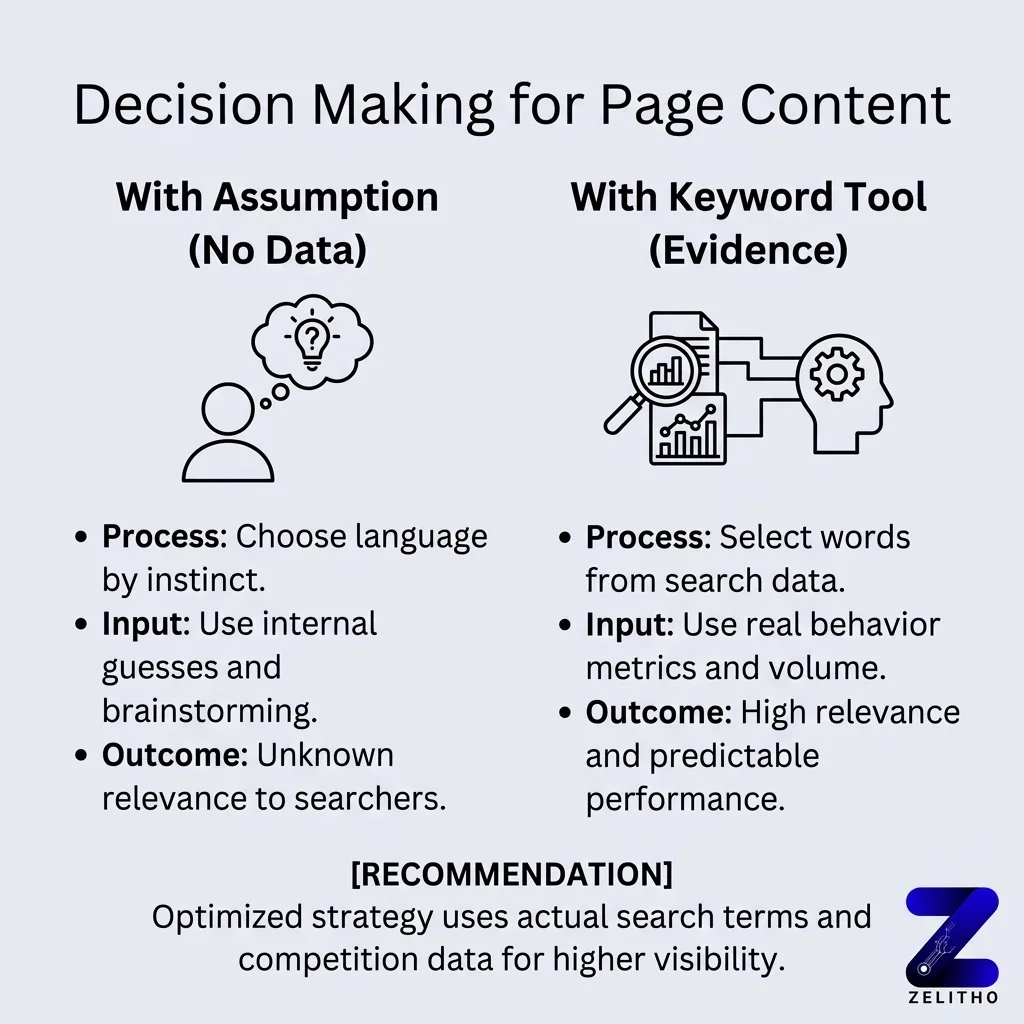
Most marketers respond by rewriting the content. The real problem is upstream: the words on the page never matched what people actually type. Without search data, you are choosing language by instinct.
A keyword tool reads real search behavior and returns structured metrics: how often people search a phrase, how hard it is to rank for it, and what the searcher actually wants. The DEP Workflow (Discover, Evaluate, Prioritize) turns those metrics into a ranked list of terms you can assign to pages this week. This article is written for founders, senior marketers, and agency owners who just got their first rankable content and now need to understand the instrument behind it.
What is a keyword tool used for?
A keyword tool shows you the exact phrases people type into search engines, how often those searches happen, and how competitive each phrase is. It connects real user behavior to your page decisions. Without it, you are choosing words based on assumption instead of evidence.
What a Keyword Tool Actually Is , Before You Touch Any Feature
Most people open a keyword tool and immediately type something in. That instinct skips the part that matters.
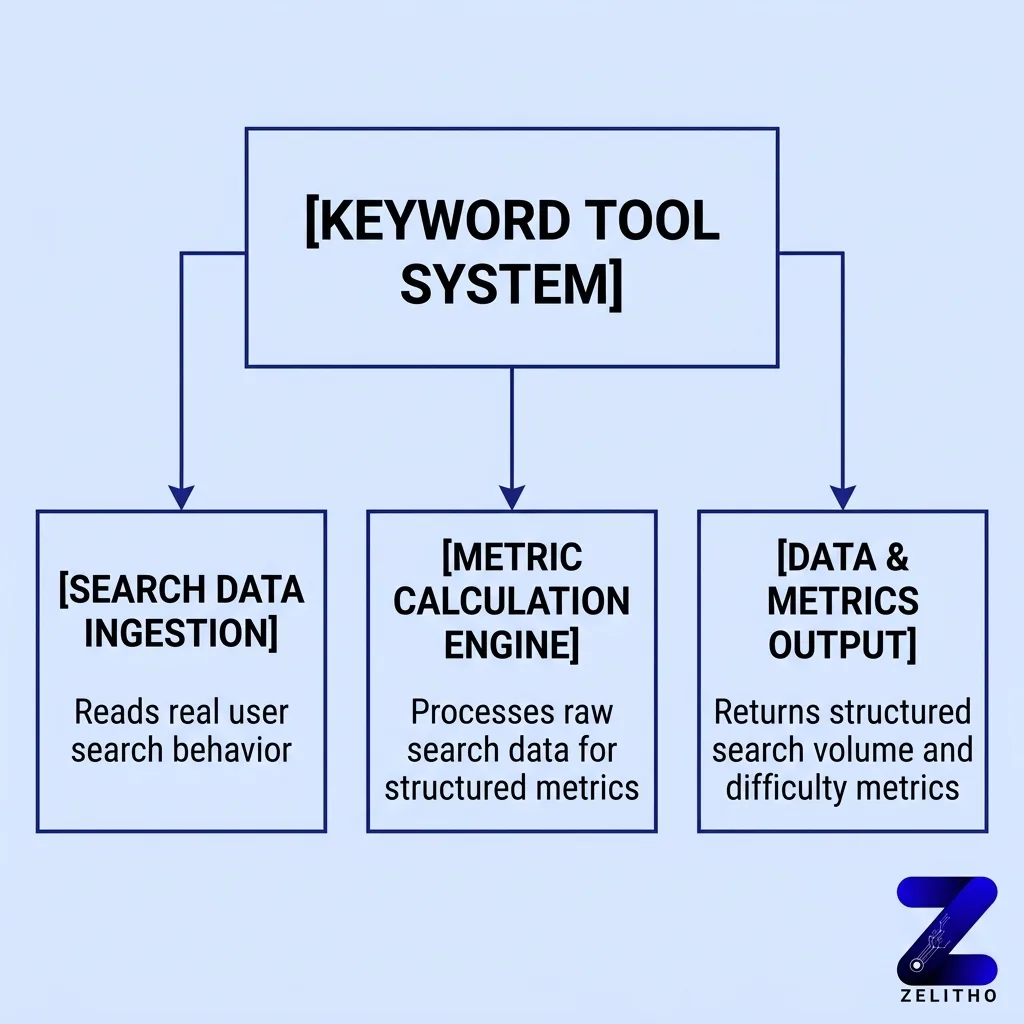
A keyword tool is software that reads search data and returns structured metrics about specific phrases. It does not write your content. It does not rank your page. It tells you what people search, how often, and how hard it is to appear for that phrase.
Think of it as a traffic counter on a highway. The counter records who passes and when. It does not build the road. You use that count to decide where a road is worth building.
The underlying database driving these tools is substantial. Some tools index over 8 billion keywords across their data set [1]. Coverage extends across 170 countries, meaning the search behavior you are reading reflects real queries from real markets worldwide [1].
That scale matters for one reason: the phrase you assume your audience uses is often not the phrase they actually type. The tool closes that gap.
Here is what happens at each stage when you run a query:
Tool Input | What It Reads | What It Returns |
|---|---|---|
A seed keyword or phrase | Search engine query data | Monthly search volume, difficulty score, intent category |
A competitor’s URL | Pages ranking for related terms | Keyword gaps and overlap opportunities |
A topic category | Related phrase clusters | Variations, questions, and long-tail alternatives |
One clarification before moving forward: a keyword tool is not a content idea generator. It does not tell you what to write. It tells you what language your audience uses when they want something. What you do with that language is a separate decision entirely.
Stop treating keyword research as a creative exercise. Start treating it as a measurement task.
The Metrics You Will See and What Each One Actually Signals
High volume is not the same as high opportunity.
That assumption causes more wasted effort than any other mistake in search research. A phrase with 5,000 monthly searches and hard difficulty rating may be completely unreachable for a site with limited authority. A phrase with 800 searches and easy difficulty may be winnable within 60 days.
Four metrics drive every keyword decision worth making.
Search volume tells you how many times per month people search a phrase. It signals demand. It does not signal feasibility.
Keyword difficulty tells you how competitive ranking is for that phrase. Most tools express this across three levels: easy, medium, and hard [2]. A new site targeting hard-difficulty terms is competing against pages with years of backlink accumulation. That is not strategy. That is hope.
Search intent tells you what the searcher wants to do. There are four intent categories: informational, navigational, commercial, and transactional [2]. A page built to sell a product will not rank well for an informational query. The content type must match the intent category or the page will underperform regardless of optimization.
Trend direction shows whether interest in a phrase is growing or shrinking over a 12-month window [2]. A phrase with stable volume and rising trend is a better long-term investment than one with high current volume that has been declining for eight months.
Here is the practical application. Imagine two phrases: “project management software” and “free project management tool for small teams.” The first has higher volume and hard difficulty. The second has lower volume, easy difficulty, and a transactional intent signal. For a small SaaS company, the second phrase connects to an audience ready to act. The first phrase connects to an audience that includes researchers, students, and enterprise buyers you cannot serve.
Targeting by volume alone is the most common beginner mistake in keyword research. The number that looks biggest is rarely the number that performs best.
The friend advice version: stop sorting by search volume. Start filtering by intent match first, then difficulty, then volume.
The Three-Step Research Workflow That Connects Discovery, Evaluation, and Prioritization
Raw keyword data is not useful on its own. You need a sequence to move from a blank search bar to a prioritized list of terms your pages can actually target.
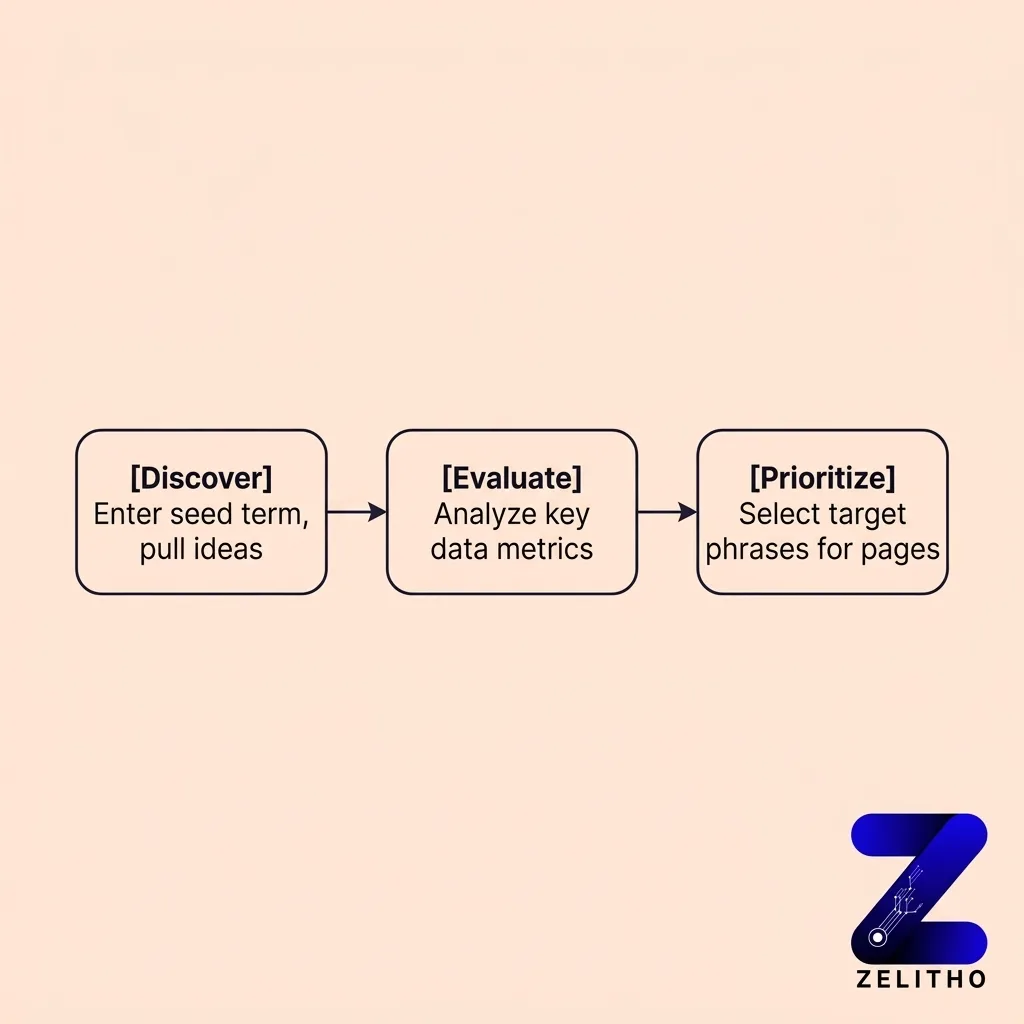
The DEP Workflow handles this in three steps: Discover, Evaluate, Prioritize.
Step 1: Discover
Enter a seed term into your keyword tool. Pull the resulting keyword ideas. Capture everything into a working list without filtering yet.
One constraint to know before you start: if you are using a Wix site with Semrush integration, the tool allows 10 keyword searches per 24-hour period on free tiers [2]. That limit means you plan your seed terms in advance rather than running searches randomly.
The goal in this step is breadth. You want the full landscape of related phrases before you start cutting.
Step 2: Evaluate
Filter the working list by difficulty and intent. Remove any phrase that does not match what your page delivers.
This is the step most people skip. They publish 40 variations across 12 pages and assume more coverage means more traffic. The actual outcome is keyword cannibalization: multiple pages competing for the same phrase, splitting ranking signals, and none of them winning.
A site that skips Step 2 and publishes 50 variations competing against each other divides its own authority. Search engines receive conflicting signals about which page to rank. The measurable result is that all pages rank lower than one well-targeted page would have.
Step 3: Prioritize
Select the terms you will act on.
When using the Wix SEO Assistant, you can select a maximum of 5 keywords for the SEO checklist [2]. At least 1 keyword must be added before the checklist activates [2]. Those constraints are not limitations to work around. They are design decisions that force you to commit to specific terms rather than vague coverage.
Prioritization is also not a one-time act. The tool refreshes keyword metrics up to 250 times per month on free tiers [1]. That means the data you are working from stays current, and your prioritization decisions should reflect updated signals over time.
The DEP Workflow run in sequence:
1. Discover: Enter seed terms, pull keyword ideas, capture all results without filtering.
2. Evaluate: Filter by intent match first, then difficulty. Remove anything misaligned.
3. Prioritize: Select the specific terms you will assign to specific pages. Commit to them.
Run this once to build your initial target list. Run it again every 90 days to update it.
Why Skipping Regular Keyword Review Quietly Erodes the Work You Already Did
Here is what actually happens after most keyword research projects: the researcher publishes the content, closes the spreadsheet, and never returns.
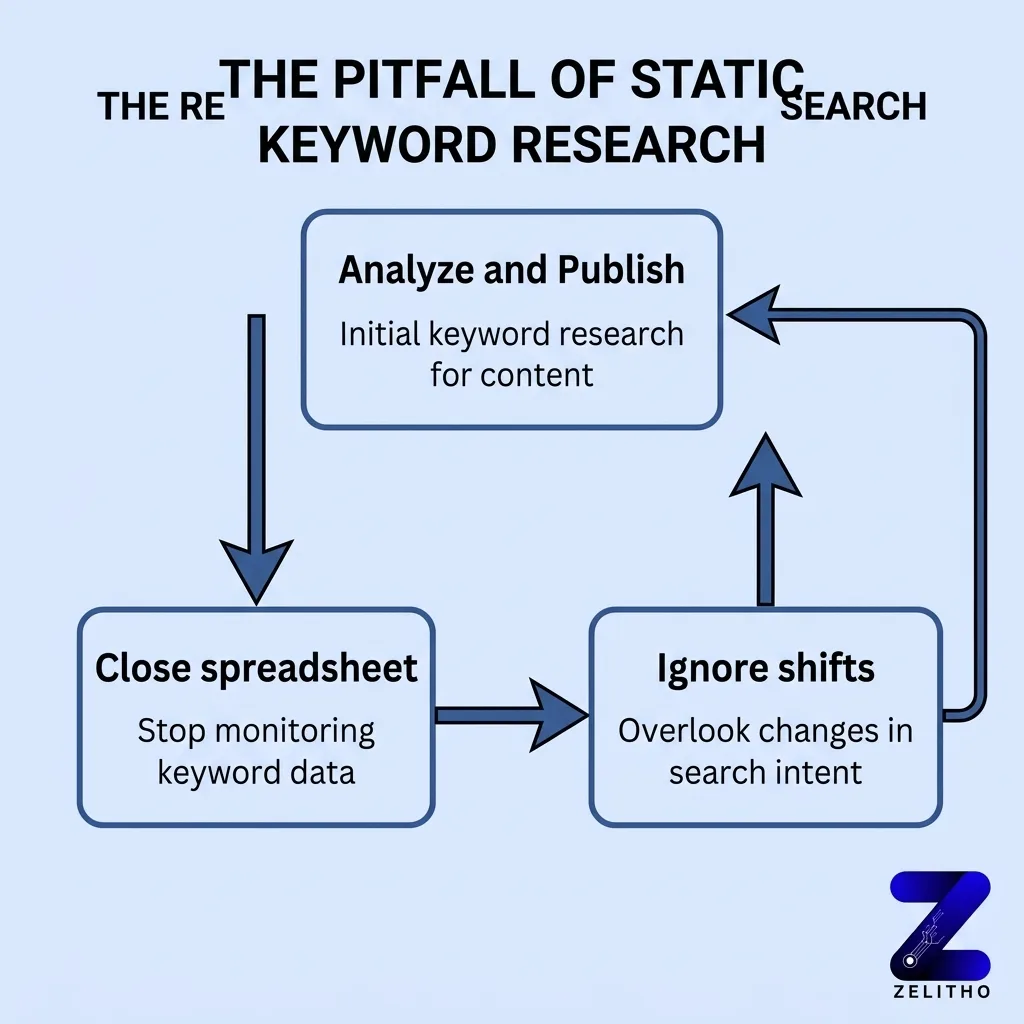
Six months later, three of those pages still receive traffic. Four receive almost none. The marketer assumes the problem is the writing. The real problem is that the search behavior shifted and nobody noticed.
Search intent categories move. Competitor pages enter and exit. Phrases that were trending upward plateau or decline. A keyword with a 40% trend drop over a 12-month window still looks fine in a spreadsheet if nobody checks the trend column [2].
If you are still building content around a shrinking phrase, you are investing in a smaller and smaller audience. The investment compounds in the wrong direction.
There is also a precision argument for ongoing review. Wix Blog post pages in the SEO Assistant allow only one keyword per post [2]. That constraint means every keyword decision carries more weight. A wrong choice does not spread across several terms. It controls the entire optimization direction of that post. Getting it wrong and never revisiting it locks poor targeting in place indefinitely.
The recommendation is clear: review your keyword targets at least every few months [2]. Not once a year. Not when something breaks.
The operational fix is simple. Add a calendar reminder for 90 days from today. Label it: “Run DEP Workflow on top five pages.” That review takes under two hours. It protects traffic you already earned.
We saw a content team at a funded SaaS company target eight informational phrases at launch. Four of those phrases shifted toward commercial intent within seven months as the market matured. The team had not reviewed their targets. Their pages continued ranking for searchers who wanted tutorials, not trials. Conversion from organic traffic stayed flat despite growing page views. They re-ran their evaluation, updated two pages for commercial intent alignment, and saw trial signups from organic nearly double in the following quarter.
The lesson: research does not expire all at once. It degrades quietly, phrase by phrase.
Explore similar blogs : What Is Keyword Mapping and Why It Matters for SEO
A keyword tool is not a content shortcut. It is a measurement instrument. It tells you what language your audience uses, how much competition exists for that language, and whether their intent matches what you offer. The DEP Workflow, Discover, Evaluate, Prioritize, turns that raw data into a decision you can act on this week. Run it once to start. Run it again every 90 days to protect what you build. The tool does not do the work. It shows you where the work is worth doing.
FAQ
A keyword tool is used to identify what phrases people type into search engines and how often. It also shows how competitive each phrase is and what the searcher intends to do. Marketers use this data to choose which terms to target on specific pages.
The four keyword types are defined by searcher intent: informational (seeking an answer), navigational (looking for a specific site), commercial (researching before buying), and transactional (ready to take action). Matching your page type to the correct intent category is the primary filter in any evaluation step.
For beginners, tools with built-in difficulty ratings and intent classification reduce the learning curve fastest. Tools integrated into site builders, such as the Semrush integration in Wix, offer a constrained and guided starting point. The 10 keyword searches per 24-hour limit on free tiers encourages deliberate use rather than random exploration. Beginners can also use ZELITHO tools to check your overall keyword research and ranking.
References and Citations
[1] ValueLeaf , Keyword Tools: Importance, Benefits, Utilization. https://www.valueleaf.com/blog/keyword-tools-importance-benefits-utilization/
[2] Wix Support , Using Keyword Research Tools to Optimize Your Site’s SEO. https://support.wix.com/en/article/using-keyword-research-tools-to-optimize-your-sites-seo