
How to Find, Fix, and Prevent Duplicate Content Issues for Better SEO


TL;DR
You published content. You ran a crawl. Now you’re looking at a spreadsheet of URLs you didn’t know existed, and half of them appear to be variations of pages you thought were clean. That’s the moment this problem becomes real.
Most teams respond by adding canonical tags everywhere. That approach misses the underlying issue. Canonical tags are hints, not directives. Google can ignore them, and often does when the page structure contradicts the tag.
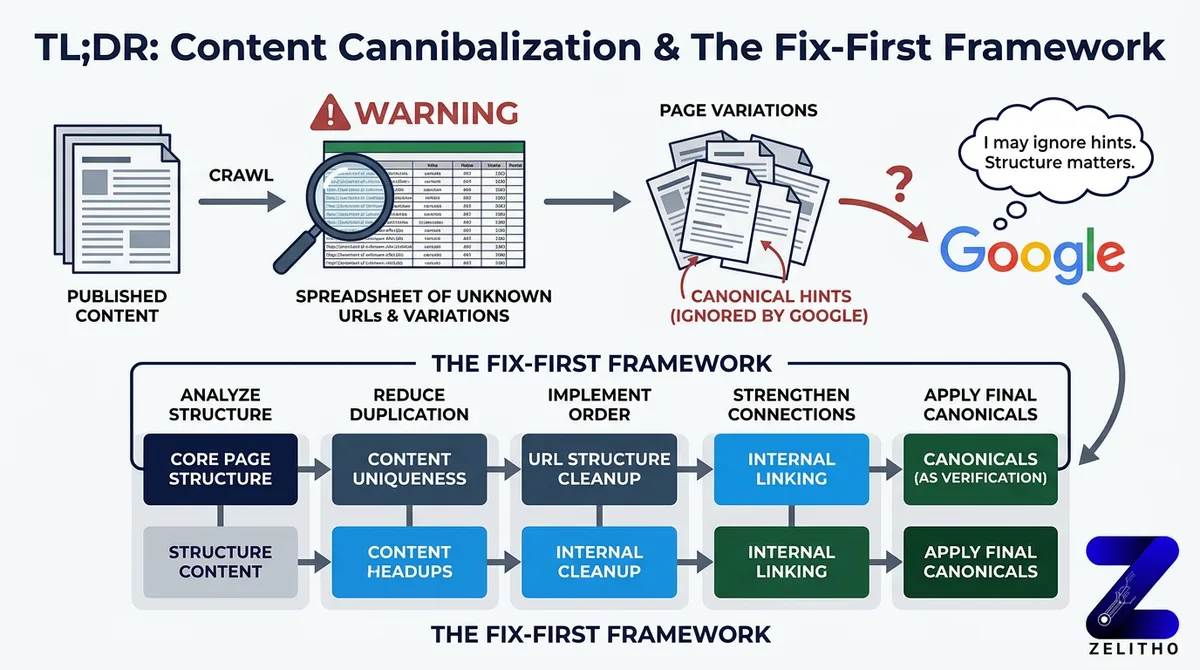
The Fix-First Framework gives you a decision path built for this. It separates detection from remediation, then separates remediation from prevention. Each stage uses a different tool and different logic. It works for senior marketers managing site authority, founders scaling content output, and agency owners cleaning up inherited site structures before a new campaign launches.
What is duplicate content and why does it affect SEO rankings?
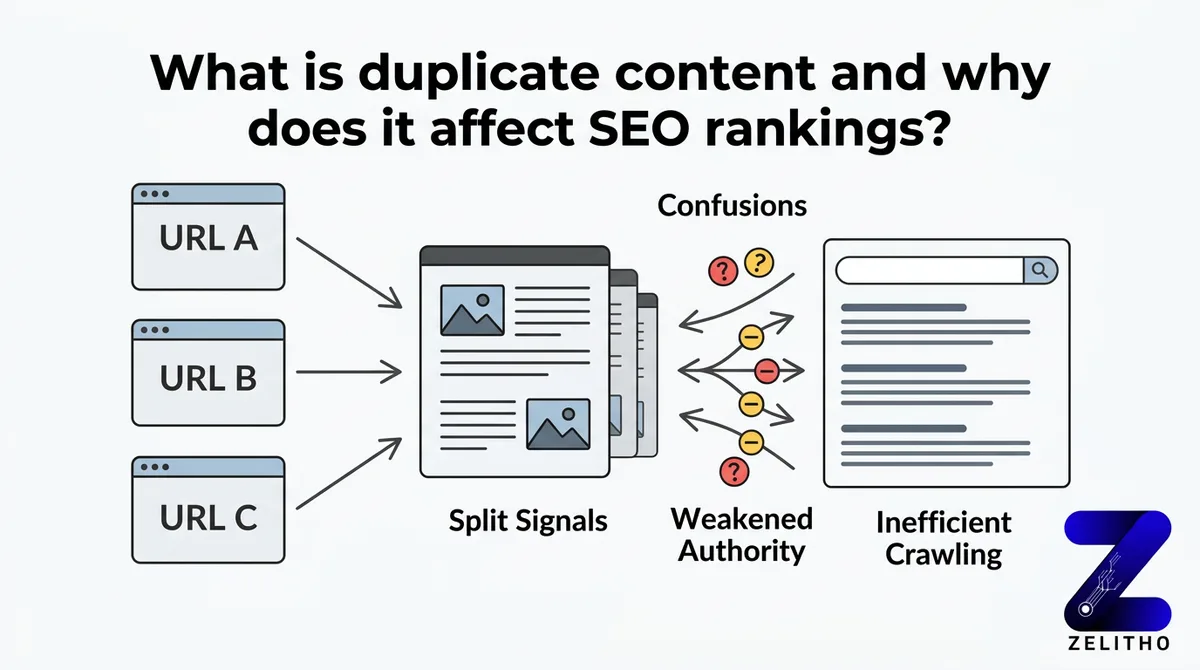
Duplicate content occurs when two or more URLs serve identical or near-identical text. Search engines must then choose which version to rank, which version to crawl, and which version to pass authority through. They don’t always choose the version you want. The result is split signals across multiple URLs, reduced crawl efficiency, and weakened page authority on every affected URL.
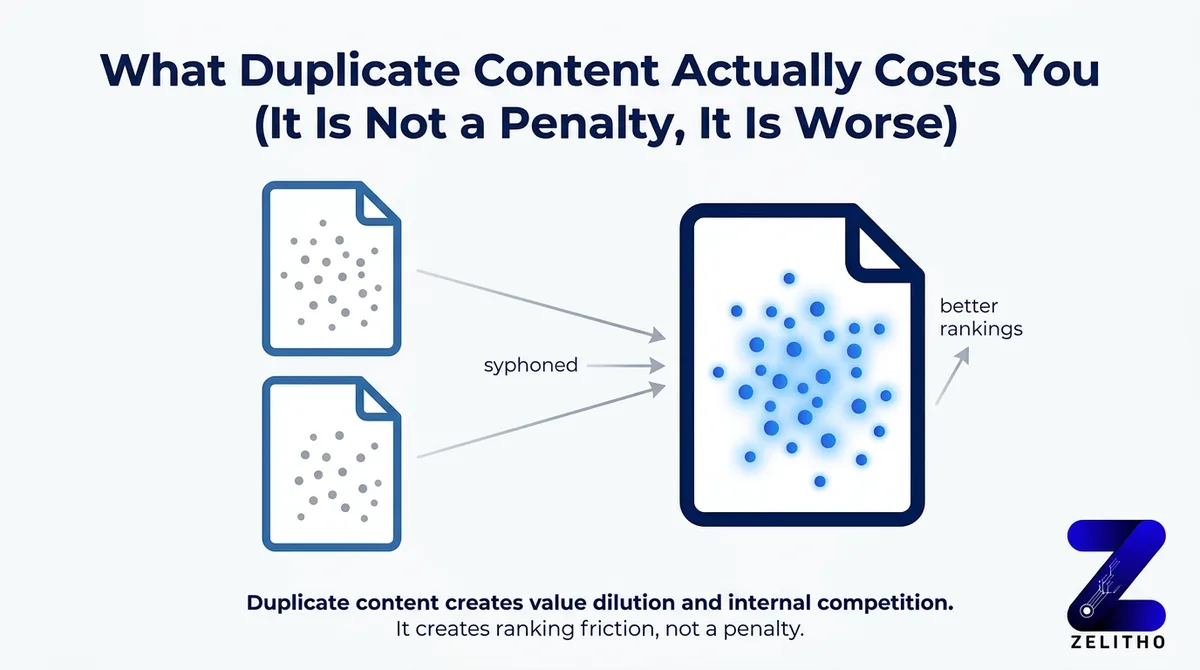
What Duplicate Content Actually Costs You (It Is Not a Penalty, It Is Worse)
You’ve probably heard both versions of this story. Either someone on your team panicked because they thought Google would penalize the site, or someone dismissed the problem entirely because they read that Google doesn’t penalize duplicate content.
Both responses are wrong in ways that cost you rankings.
Google confirmed in 2008 that non-malicious duplicate content does not trigger a manual penalty [2]. That clarification is accurate. It’s also the reason some teams stopped caring. The penalty framing is the wrong frame entirely.
The absence of a penalty doesn’t mean the absence of damage. It means the damage is quieter and harder to trace.
The actual cost is dilution. When 50 URL variants of one product page compete for the same query, none of them accumulates enough authority to reach page one. PageRank splits across all versions. Crawl budget gets consumed by low-value duplicate URLs, which delays indexation of your new content by days or weeks. Google picks which version to surface, and it frequently picks the wrong one.
Around 29% of websites carry this problem [1]. Most of them don’t know it. The duplication isn’t usually intentional. It compounds through CMS defaults, URL parameter behavior, and syndication decisions made without SEO input. By the time someone runs a crawl audit, the dilution has been accumulating for months.
Stop treating duplicate content as a cleanup task. Start treating URL consolidation as a ranking priority with a direct line to page-one visibility.
How to Find Duplicate Content Before Google Finds It First
You can’t fix what you haven’t measured. The first move is a full crawl, not a guess.
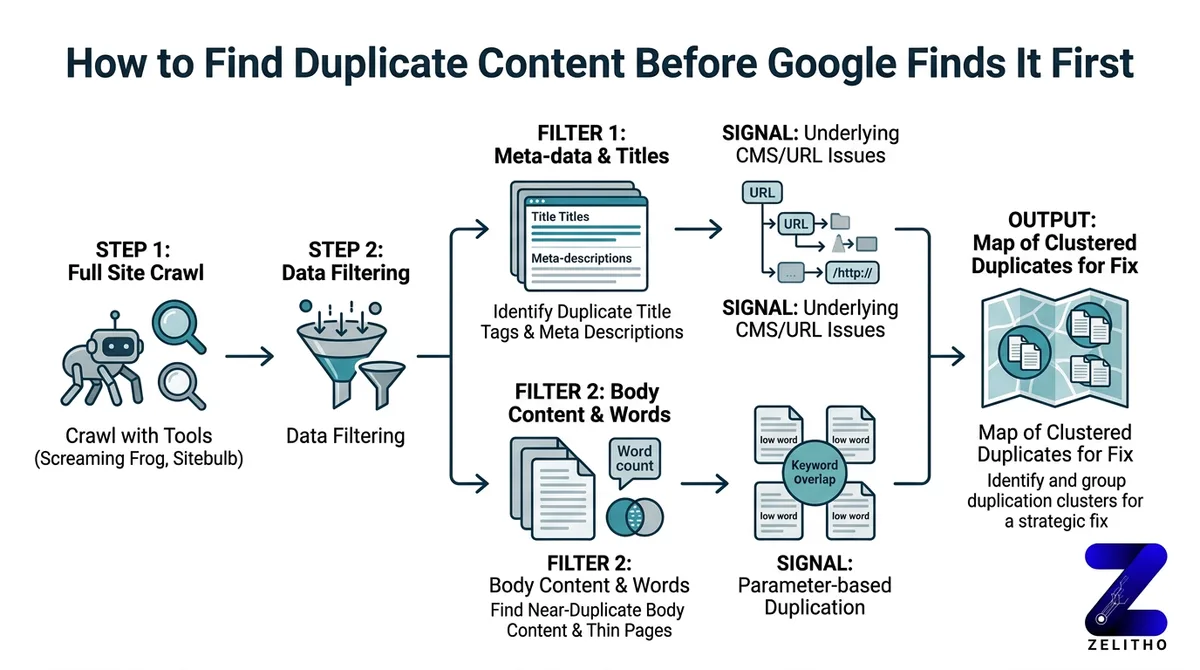
Use Screaming Frog or Sitebulb to crawl your site and filter for duplicate title tags, identical meta descriptions, and near-duplicate body content. These signals cluster around the same underlying problem: your CMS or URL structure is generating multiple versions of the same page. Look for thin-page clusters. A group of pages with low word counts and overlapping keyword targets often indicates parameter-based duplication.
Open Google Search Console and pull the Coverage report. Look for indexed URLs that shouldn’t exist. URLs with tracking parameters, session IDs, or sort-order filters sometimes get indexed because no one blocked them. Every one of those indexed URLs is a crawl budget expense with no ranking return.
Here’s a concrete scenario. An e-commerce site sells running shoes. The category page exists at /shoes. Filtered versions live at /shoes?color=red, /shoes?sort=price, and /shoes?size=10. All four URLs serve near-identical content. All four compete for the same query. None of them ranks well, because the authority that should consolidate on /shoes is fragmented across twelve filtered variants.
For external duplication, run a Copyscape check on your highest-traffic pages. Scrapers and content aggregators copy pages without attribution. If those versions get indexed, they compete with the original. A manual site: query using a unique sentence from your page also surfaces syndicated copies quickly.
Detection signals to check on every audit:
- Duplicate title tags across more than two URLs
- Identical meta descriptions on non-paginated pages
- Keyword cannibalization in GSC showing two URLs competing for the same query
- Low crawl coverage on high-priority pages despite recent publication
- Indexed URLs containing session IDs or tracking strings
Schedule this audit quarterly. Not once, not when something breaks. Quarterly. Sites that grow without this rhythm accumulate duplication silently between audits.
The Fix-First Framework: Canonical Tags, Redirects, and Parameter Handling
The Fix-First Framework is a decision tree. You don’t pick a remedy before you identify the duplication type. Different duplication types require different signals. Applying canonical tags universally is the most common mistake teams make after discovering this problem.
Here’s why that matters. A canonical tag tells Google which URL you prefer. It does not force Google to comply. If the duplicate page has stronger external links, more crawl history, or contradictory signals in your sitemap, Google can and does ignore the canonical. For cases where traffic is already split across variants, a 301 redirect is the stronger, more reliable correction. It’s not a hint. It’s a directive.
| Duplication Type | Recommended Fix | Why This Fix Works |
|---|---|---|
| URL parameter variants (sort, filter, session IDs) | rel=canonical to root page or GSC parameter handling | Consolidates crawl and ranking signals to the preferred URL |
| Paginated or filtered pages with thin content | 301 redirect to root or canonical to root | Eliminates competing URL entirely; passes full link equity |
| Externally syndicated content | Request canonical attribution from publisher | Signals original source to Google without requiring removal |
Use the Fix-First Framework this way: identify the duplication type first, then select the row that matches it, then implement. Don’t start with “I’ll add a canonical” and work backward.
One implementation caveat most guides skip: canonicalizing 40 product variants doesn’t stop Google from crawling them. The canonical tag consolidates ranking signals, but all 40 URLs remain crawlable unless you also restrict them in robots.txt or disallow indexation through meta robots. A site that canonicalizes without controlling crawlability still burns crawl budget on those 40 pages. That delays indexation of new content by weeks, not hours.
We saw this pattern on a mid-size retailer with 800 product variants. They added canonical tags to all parameter URLs. Crawl budget consumption dropped only 12% because the pages remained fully accessible to crawlers. Adding crawl restrictions alongside the canonicals brought that number to 61% within one crawl cycle. New product pages that had waited three weeks for indexation started appearing within four days.
Stop applying canonicals as a blanket fix. Start matching the remedy to the duplication type, then close the crawl access loop.
Prevention Architecture: Building a Site That Does Not Create Duplicates by Default
This section is not a tool list. It addresses the upstream decisions that determine whether duplication returns after every fix. If your CMS, URL conventions, and content workflow generate duplicates by default, you’re not solving a problem. You’re draining a bathtub with the tap still running.
Four structural decisions prevent the majority of recurring duplication.
First, enforce trailing slash consistency at the server level. example.com/page and example.com/page/ are two different URLs to a crawler. Your server should redirect one to the other before any CMS logic fires. This is a one-time infrastructure decision that eliminates an entire class of duplication permanently.
Second, set canonical self-referencing tags in your CMS templates by default. Every page should declare itself as its own preferred version unless a specific override exists. This prevents accidental duplication from CMS-generated alternate URLs, tag pages, or archive views.
Third, block session IDs and tracking parameters from indexation. Configure this in robots.txt using the Disallow directive for parameter patterns, or use GSC’s URL parameter tool to tell Google how to handle them. Don’t wait until the next audit finds 200 session-ID URLs in the Coverage report.
Fourth, implement a content reuse policy. When a product description appears on both a product page and a brand page, use structured data and canonical attribution to declare which version is authoritative. Internal syndication without this signal creates internal duplication. Most CMS workflows don’t flag this because the content team and the SEO team aren’t sharing a checklist.
A concrete scenario: a media publisher republishes articles to AMP URLs without adding a canonical link from the AMP version back to the original. Google indexes both. The AMP version sometimes ranks higher because of its load performance. The original URL accumulates fewer signals, earns fewer links, and gradually loses ground to its own alternate version. Adding a canonical from the AMP URL to the original consolidates signals and recovers the ranking position, usually within two to three crawl cycles.
The contrast is direct. Reactive deduplication means running a quarterly audit, finding problems, and remediating them. Prevention architecture means building a site that doesn’t generate those problems in the first place. Reactive deduplication costs more time every cycle. Prevention architecture costs more time upfront and less time forever after.
When prevention architecture fails, because it will at scale, the Fix-First Framework is the recovery path. Run the detection workflow, identify the type, apply the matching remedy, and close the crawl access loop.
Add a pre-publish SEO checklist to your content workflow. One field: does this new URL match the pattern of any existing page? If yes, flag before publishing, not after indexation.
Duplicate content is a structural tendency, not a one-time mistake
Duplicate content is not a one-time problem. It is a structural tendency of websites that grow without clean URL conventions and content governance. The Fix-First Framework gives you a decision path: detect with crawl tools, remediate with the right signal for the right duplication type, and prevent recurrence by fixing the upstream systems that generate duplication in the first place.
Run your first audit this week. The pages competing against themselves are the easiest ranking gains left on the table.
FAQ
Identify the duplication type first: URL parameter variants, paginated pages, or externally syndicated content. Use rel=canonical tags for parameter variants, 301 redirects for pages with significant traffic splits, and request canonical attribution from publishers for external copies. Always pair canonical tags with crawl restrictions so duplicate URLs stop consuming crawl budget.
The 80/20 principle applied to SEO means roughly 20% of your pages and technical fixes drive 80% of your organic traffic gains. For duplicate content, this means prioritizing consolidation on your highest-traffic, highest-authority pages first. Fixing duplication on ten core pages often delivers more ranking lift than cleaning up hundreds of low-traffic parameter variants.
Canonical self-referencing tags set by default in CMS templates prevent the most common duplication patterns. Combining this with server-level trailing slash enforcement and robots.txt parameter blocking stops three distinct duplication sources before they compound. These are infrastructure-level settings, not page-by-page fixes.
Search engines split crawl budget and ranking signals across all versions of a duplicated URL. No single version accumulates enough authority to rank competitively. Google also chooses which version to surface, and it frequently selects the version you didn’t intend to rank, which can mean a filtered URL outranks the clean canonical.
Yes, but not because of a penalty. Google confirmed in 2008 that non-malicious duplicate content doesn’t trigger a manual action [2]. The damage is dilution: fragmented PageRank, wasted crawl budget, and search engine canonicalization choices that don’t match your intent. Around 29% of websites carry this problem right now [1], most without knowing it.
The canonical attribute in an HTML link tag is the primary signal used to indicate the preferred URL among duplicates. In robots.txt, the Disallow directive removes duplicate URLs from crawl scope. Neither is a “keyword” in the programming sense, but these two directives are the operational levers that resolve most duplication at scale.
Sources
[1]https://ryantronier.com/resources/duplicate-content-in-seo/[2]https://www.kunocreative.com/blog/copy-paste-publish-duplicate-content-seo