
What Are Title Keywords? How to Use Them in Titles and Title Tags

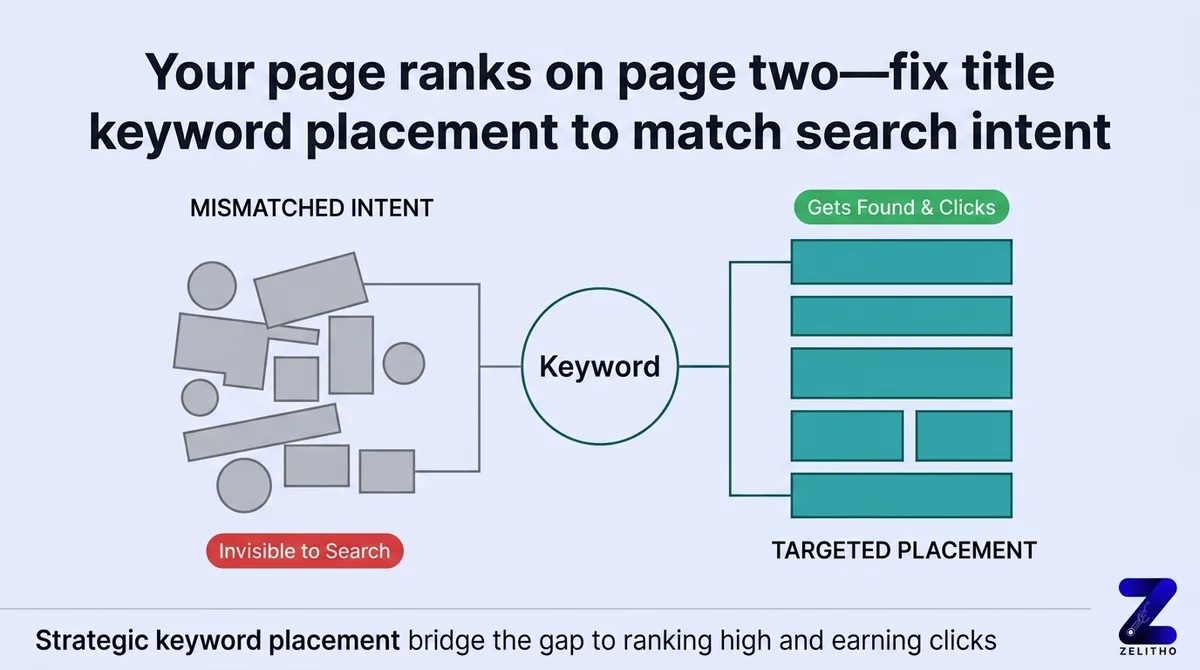
Title keywords are targeted search phrases placed within an HTML title tag and primary H1 heading to establish a webpage’s primary topical identity. Properly front-loading a targeted keyword in title tag code within 50 to 60 characters maximizes organic click-through rates on search engine result pages while providing neural search crawlers and AI answer engines with the decisive semantic anchor needed for accurate document classification.
TL;DR
You published a page. It ranks on page two. The title looks fine to you, but Google is matching it to the wrong searches. That gap between what you wrote and what searchers type is the real problem.
Most guides tell you to “include your keyword naturally.” That advice skips the structural decisions that actually matter: where the keyword sits, how many you use, and whether your title tag matches your H1.
This guide walks through the Title Keyword Placement Framework, a 5-step process for selecting, drafting, checking, and refining title keywords on any page type. It is built for founders scaling content, agency owners managing client sites, and senior marketers who need a repeatable system, not a checklist they forget by Friday.
What is a title keyword in SEO?
A title keyword is the specific word or phrase that matches what a searcher types into Google. It appears in your title tag, the HTML element search engines read to understand your page’s topic. Place it early in the tag, keep the tag under 60 characters, and use one primary keyword per page.
What Title Keywords Actually Are and Why Their Placement Changes Everything
You are looking at a page that should be ranking. The content is solid. The word count is there. The title reads: “Everything You Need to Know About Coffee Brewing at Home.” The page targets home espresso machines. Google does not connect those two things.
That is the gap title keywords exist to close.
A title keyword is not every word in your title. It is the specific phrase that matches what a searcher types. The distinction matters because Google reads your title tag as a relevance signal. If your target phrase does not appear there, or appears in a diluted form, the page competes for the wrong queries.
Title keywords appear in two places: the visible page heading (your H1) and the HTML title tag. These are not always the same text. Your H1 can be longer and more conversational. Your title tag must be tighter and more precise, because it is the version Google shows in search results.
The title tag appears in four contexts: search results, browser tabs, social shares, and bookmarks [1]. Each of those surfaces pulls from the same HTML element. A weak title tag underperforms across all four at once.
One more rule that most guides bury: each page should target one primary keyword [1]. Not a cluster. Not a theme. One phrase. A page about home espresso machines should use that exact phrase in the title tag, not a loose synonym like “coffee brewing at home.”
Stop treating title keywords as decoration. Start treating keyword position as a structural decision that affects which searches your page matches.
You Are Probably Stuffing or Burying Your Keywords Without Knowing It
Here is a false assumption worth naming early: more keywords in a title means more chances to rank. That belief causes two specific errors. Both hurt click-through rate before rankings even factor in.
The first error is stuffing. Titles like “Best Espresso Machine Home Espresso Coffee Maker Buy” look like a keyword list because they are one. Google reads it as over-optimization. Readers skip it because it feels machine-generated. Three or four keywords crammed into a single title starts to look spammy to both [3]. The recommended upper limit is two keywords per page [3].
The second error is burying. A title like “Discover the Right Machine for Your Home: Espresso Maker Guide” puts the keyword at the end. Placement at the end does not penalize you technically, but it slows down how fast a reader confirms relevance. Eyes scan left to right. Keyword weight is front-loaded.
This table shows the same topic handled three different ways:
Title Type | Example | Problem |
|---|---|---|
Over-optimized | Best Espresso Machine Home Coffee Espresso Maker | Reads as spam, reduces clicks |
Balanced | Home Espresso Machines: A Buyer’s Guide | Keyword early, readable, clear |
Buried keyword | Find Your Perfect Coffee Setup: Home Espresso Machines | Keyword arrives too late |
The balanced version wins because it confirms relevance in the first three words. Readers do not have to hunt for what the page covers.
A title that ranks but reads like a keyword list still loses traffic. Ranking gets the impression. The title gets the click, or does not.
The Title Keyword Placement Framework: A Step-by-Step Process for Any Page Type
Guessing about title length, keyword order, or wording on every new page is a workflow tax. The Title Keyword Placement Framework removes that guessing. It runs five steps for any page type and produces a title tag you can defend [1].
Step 1: Select one primary keyword based on search intent.
Look at what searchers actually type, not what you assume they mean. A keyword like “home espresso machines” signals product research. A keyword like “how to use a home espresso machine” signals a how-to. Pick the phrase that matches the page’s purpose. One phrase per page.
Step 2: Draft the title with the keyword near the front.
For blog posts, lead with the keyword. For homepage-style pages, pair the keyword with a short brand differentiator after a colon. For supporting pages, a short qualifier before the keyword is acceptable.
Examples by page type:
Blog post: “Home Espresso Machines: What to Buy in 2025″Homepage:
“Home Espresso Machines by BrewCo
“Supporting page: “Beginner’s Guide to Home Espresso Machines”
Step 3: Check character count and pixel width.
Keep the title tag within 50–60 characters to avoid truncation in search results [1]. The pixel limit is 550 pixels [1]. Both limits matter because different devices render differently. A title that fits on desktop may truncate on mobile. Use a title tag preview tool to check both.
Step 4: Read the title aloud.
If it sounds robotic, rewrite it. This is the fastest quality filter. A title that passes the character check but fails the read-aloud test will lose clicks to a competitor whose title sounds like a human wrote it.
Step 5: Review and revise after publishing once data is available.
This step is where most pages gain the most ground. More on this in the next section.
Long-tail keywords, phrases of three or more words [2], are easier to place naturally. A phrase like “best home espresso machine under $500” already carries sentence structure. It fits into a title without forcing.
The Title Keyword Placement Framework applies to every page you publish. Running it takes under ten minutes once the habit forms.
How to Review and Refine Titles Over Time Without Starting From Scratch
Publishing a title tag is not a final decision. Treating it as permanent is the most common reason pages stay stuck on page two with decent rankings and low click-through rates.
Here is a concrete scenario: auditing 40 underperforming blog posts and updating only their title tags is a documented tactic that improves click-through rates without rebuilding the pages [1]. No new content. No redesign. Just better title tags applied to pages that were already indexed.
Three signals tell you a title needs revision:
A low click-through rate in Google Search Console despite a ranking in positions 4–15.
A title that no longer matches updated content on the page.
A title that truncates in search results because it exceeds the character limit.
Each of those is a fixable problem. None of them require starting the page over.
Run the Title Keyword Placement Framework again on each underperforming page. Reselect the primary keyword if search intent has shifted. Redraft with the keyword nearer the front. Recheck the character count. Read it aloud. Publish the update.
This article rejects the standard advice to “set and forget” a title tag after publishing. That approach treats a live variable as a static asset.
Set a quarterly calendar reminder. Pull your 10 lowest click-through-rate pages from Google Search Console. Apply the 5-step framework to each one. That process, run four times a year, compounds faster than publishing new pages with weak title tags.
Title Keywords Done Right Reward Every Page You Publish
Every page you publish has a title tag. That tag appears in search results, browser tabs, social shares, and bookmarks. It is doing work whether you designed it or not.
The Title Keyword Placement Framework gives you a repeatable process: one primary keyword, placed early, checked against the 50–60 character limit [1], tested aloud, and revisited on a quarterly schedule. That process applies to a single blog post or a 400-page site.
The pages that rank and get clicked are not the ones with the most keywords. They are the ones where the title tag matches what the searcher typed and reads like a human wrote it.
Every title tag you improve is a compounding asset.
FAQ
The keyword in a title tag is the specific word or phrase that matches what a searcher types into Google. It acts as a relevance signal that helps Google match your page to the right queries. Each title tag should contain one primary keyword, placed near the beginning of the tag.
Start with search intent. Identify what a searcher is trying to accomplish, then find the phrase they would actually type. Use that phrase as your primary keyword. Keep your selection to one keyword per page, and confirm the phrase appears in the first few words of your title tag.
A title tag for a page about home espresso machines might read: “Home Espresso Machines: Top Picks for 2025.” That title leads with the target keyword, stays within the 50–60 character limit [1], and reads clearly to both search engines and human readers.
References and Citations
[1]https://www.semrush.com/blog/title-tag/
[2]https://www.123-reg.co.uk/blog/featured/a-beginners-guide-to-writing-title-tags-and-meta-descriptions-that-get-clicks/
[3]https://www.hikeseo.co/post/how-to-include-keywords-in-a-page-title
Keywords in Title Tag: Placement Rules, Character Limits, and Separators
Placing keywords in title tag elements remains one of the highest-leverage on-page optimization tasks in modern SEO. Search engines evaluate the left-to-right prominence of words in the title tag, assigning greater thematic weight to terms appearing at the front of the string. Having an exact-match keyword in title tag markup signals definitive relevance for the primary search query.
When optimizing your title keyword placement, follow these technical specifications:
- Front-Load the Primary Subject: Place your primary title keyword in the first 30 characters. This prevents critical terms from being truncated on mobile screens and signals immediate topical relevance to web crawlers. Ensuring the primary keyword in title tag formatting appears early prevents intent dilution.
- Character and Pixel Boundaries: Maintain a title tag length between 50 and 60 characters (approximately 580 pixels). Titles exceeding this threshold risk truncation, which reduces click-through rates and obscures secondary modifiers.
- Separating Modifiers Cleanly: When deciding how to separate keywords in title tag architecture, use clean, readable delimiters such as pipes (|), colons (:), or simple hyphens (-). Avoid combining multiple punctuation symbols, which creates visual noise and can confuse automated scrapers.
- Brand Inclusion Hierarchy: Place your brand name at the end of the title tag (for example: “Primary Title Keyword – Secondary Modifier | Brand Name”). This preserves early character real estate for search intent keywords.
Why Keyword(s) Not Included in Title Tag Happen: Resolving Google Title Rewrites
A frequent technical concern for website publishers is when Google Search Console flags that targeted search terms or keyword(s) not included in title tag displays are occurring on active SERPs. In many instances, Google dynamically replaces the hardcoded HTML title tag with an on-page H1 heading, an internal anchor text string, or an excerpt from the first paragraph.
Understanding why keyword s not included in title tag replacements happen allows teams to maintain control over their search presentation:
| Google Rewrite Trigger | Root Cause & Diagnostic | Corrective Action Protocol |
|---|---|---|
| Title Tag Keyword Stuffing | Repeated keyword variants packed into the title tag trigger Google algorithmic cleanup. | Condense into one natural phrase with a single supporting modifier. |
| H1 Tag Discrepancy | The page H1 provides a clearer match to user search intent than the meta title. | Align the core subject of your H1 and title tag so they reinforce the same entity. |
| Excessive Boilerplate | Every page uses identical site-wide brand prefixes or repetitive category names. | Strip recurring sitewide boilerplate; keep each page title tag uniquely descriptive. |
| AI Overview Syntactic Need | Generative answer engines extract an on-page definition sentence instead of the title. | Ensure your title keywords appear in the immediate introductory answer-first paragraph. |